
25 Point Checklist to Buy an Unlocked Phone That Works on T‑Mobile

Yes, an unlocked phone will work on T-Mobile if the device is actually unlocked and technically compatible with T-Mobile’s network. Those are two separate checks, not one, and skipping either is how buyers end up with a phone that powers on but won’t make calls. Run T-Mobile’s IMEI compatibility checker first. If the phone comes back locked, you’ll need to request an unlock from whoever sold it before T-Mobile can activate it.
TL;DR:
- Even if a phone is unlocked, its hardware must support T-Mobile’s network bands; unlocking software does not guarantee full compatibility.
- T-Mobile’s IMEI compatibility check identifies whether voice, text, and data features will work, but hardware differences can still limit 5G or LTE functions.
- Eligibility for unlocking depends on account status, device payment history, and whether the phone was reported lost or stolen; turnarounds typically take a few days.
- Buying refurbished phones requires verifying IMEI status, model SKU, and factory unlock confirmation to avoid compatibility issues later.
- Post-activation problems like no signal or missing features often stem from firmware or configuration issues, easily fixed with updates or correct APN settings.
Table of Contents
- Unlocked Phone T-Mobile Compatibility: How to Check Before You Activate
- How Do You Qualify for a T-Mobile Unlock?
- Setting Up an Unlocked Phone on T-Mobile: SIM, eSIM, and Beyond
- What to Check Before Buying a Refurbished or Unlocked T-Mobile Phone
- Fixing Common Problems After Activation
- GSM vs. CDMA: Why This Still Matters for T-Mobile Buyers
- Why Verified Refurbished Beats Guesswork on Unlocked Phones
- Buy an Unlocked Phone That Actually Works on T-Mobile
- Sources
Unlocked Phone T-Mobile Compatibility: How to Check Before You Activate
Before you do anything else, find out whether your phone is actually unlocked. On an iPhone, go to Settings > General > About and scroll to “Carrier Lock.” It should say “No SIM restrictions.” On Android, the path varies by manufacturer, but it’s usually under Settings > Connections > SIM Card Manager or a similar menu that shows lock status directly.
Once you’ve confirmed the lock status, pull the IMEI (dial *#06# on almost any phone) and run it through T-Mobile’s BYOD compatibility checker. The 15-digit IMEI tells the system exactly which radios and bands your phone supports, and the result falls into one of a few buckets:
- Fully compatible: voice, text, and data all work as expected, including 5G where supported.
- Partially compatible: basic service works, but features like Wi-Fi Calling or visual voicemail may need manual setup.
- Not compatible: the phone’s hardware doesn’t support T-Mobile’s network bands at all.
- Blocked: the IMEI is flagged, often for an unpaid balance or a lost/stolen report.
Here’s the part people miss: an unlocked phone isn’t automatically a compatible phone. T-Mobile can’t guarantee performance on devices it didn’t sell or authorize, because unlocking only removes a software restriction. It doesn’t add radio hardware that was never built into the phone. A phone unlocked for use in Europe, for example, may simply lack the LTE bands T-Mobile relies on in rural U.S. coverage areas.
How Do You Qualify for a T-Mobile Unlock?
If your phone comes back locked, the eligibility rules depend on how you got the device.
For postpaid accounts, T-Mobile requires the device to have been active on the network for a short minimum period, with the account in good standing and the phone not reported lost or stolen. If you financed the device, it needs to be paid off completely; a $12 remaining balance is enough to block the request.
Prepaid customers face a similar structure, though the specific line-tenure and refill thresholds differ from postpaid, so check your account status directly with T-Mobile if you’re unsure where you stand. Each line also has a cap on how many unlocks it can request in a given period.
Here’s the actual process:
- Check eligibility in the T-Mobile app or by calling customer care.
- Submit the request. For T-Mobile devices, this happens automatically once you’re eligible; for phones bought elsewhere, you’ll need to unlock through the original carrier or manufacturer first.
- Wait for processing. Eligible T-Mobile devices supporting remote unlock typically clear within a couple of business days. Some older models require manual unlock codes instead.
- Reinsert your SIM or restart the phone to trigger the update.
- If denied, ask for the specific reason. Account balances and fraud flags are the two most common blockers.
Pro Tip: Keep a screenshot of your unlock request confirmation. If T-Mobile support can’t locate your case later, that timestamp saves you a second round of hold music.
If a carrier denies your request without a clear reason, you have recourse. The FCC requires carriers to publish transparent unlocking policies and follow them consistently, so a vague denial is worth escalating.
Setting Up an Unlocked Phone on T-Mobile: SIM, eSIM, and Beyond
Once your IMEI check comes back clean, activation is mostly mechanical. Your first decision is physical SIM or eSIM. Most phones from the last few years support both, and T-Mobile lets you order a physical SIM online or in-store, or download an eSIM profile straight to the device without touching a card at all. If you travel internationally often, an eSIM setup also simplifies switching networks; resources like Lumo’s rundown of eSIM-compatible phones are useful for confirming your model supports it before you commit.
Here’s the activation checklist that avoids most first-day headaches:
- Confirm your IMEI compatibility result one more time before activating.
- Insert the physical SIM or scan the eSIM QR code T-Mobile provides.
- Restart the phone completely, not just a screen lock and wake.
- Test a phone call, a text, and a data session separately.
- Check that carrier settings updated automatically, and update the APN manually if data doesn’t connect.
If something’s missing after all that, like Wi-Fi Calling not appearing as an option, check for a pending firmware update first. Partial compatibility often means voice works while advanced LTE or 5G features need manual configuration, and a firmware update frequently resolves it without any carrier intervention at all.
What to Check Before Buying a Refurbished or Unlocked T-Mobile Phone
Buying secondhand raises the stakes on all of this. Before you pay for any device, get the seller to provide the exact IMEI and confirm in writing that it’s factory unlocked, not carrier unlocked with restrictions still lurking in the firmware. Sellers sometimes advertise “compatible” based on band support alone, while the device is still locked to another network, which is a distinction that trips up a lot of first-time refurbished buyers.
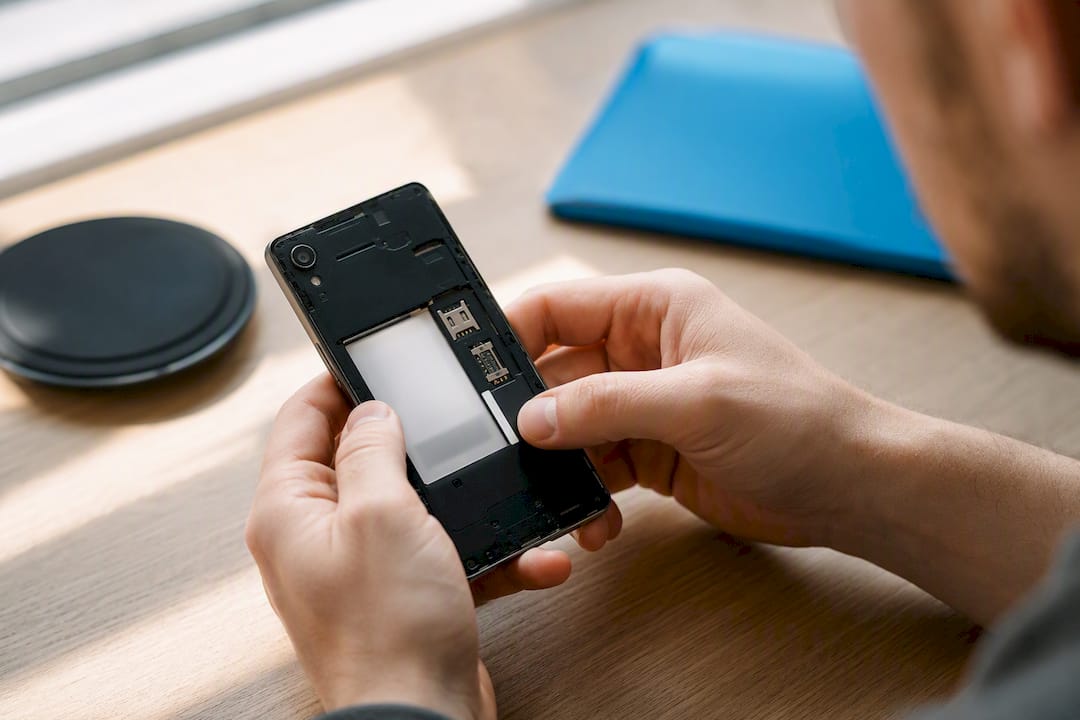
Model SKU matters more than most people expect. A Samsung Galaxy A14 sold in Europe and one sold in the U.S. can carry completely different internal model numbers, like SM-A146U for the U.S. variant, with different supported bands baked into the hardware. Asking for that exact SKU before buying costs you nothing and prevents a returns headache later.
Your buyer checklist should include:
- IMEI and IMEI blacklist status, checked independently of the seller’s word.
- The specific model SKU, not just the marketing name on the listing.
- VoLTE and e911 support confirmed for U.S. networks, plus eSIM support if you plan to use it.
- The seller’s return window and whether the device was functionally tested before shipping.
- Cosmetic grading disclosed upfront, so “like new” doesn’t turn out to mean scratched screen glass.
Pro Tip: A device that’s cosmetically “Grade B” with full functional testing is usually a smarter buy than an untested “Grade A” listing. Looks fade fast; a phone that drops calls doesn’t.
This is exactly where buying from a vendor with structured inspection and a real return window pays off. A device that’s been checked against a detailed functionality checklist before it ships removes most of the guesswork a private-party sale leaves on your shoulders.
Fixing Common Problems After Activation
Most post-activation issues fall into three categories, and none of them require a new phone.
- No signal or unusually slow data. Re-run the IMEI check to rule out a compatibility gap you missed. Then confirm the APN settings match T-Mobile’s current configuration, and try a full power-off restart rather than airplane mode toggling.
- Missing VoLTE or Wi-Fi Calling. Check for a pending OS update first; carrier provisioning profiles often ship inside routine firmware patches. If the update doesn’t fix it, the manufacturer’s support line can confirm whether that specific model was ever certified for T-Mobile’s VoLTE network.
- Disputed unlock or compatibility status. Save your purchase receipt and IMEI record. If T-Mobile support and the seller disagree about lock status, the FCC’s unlocking guidance outlines what carriers are obligated to disclose, which gives you something concrete to point to.
GSM vs. CDMA: Why This Still Matters for T-Mobile Buyers
T-Mobile runs on GSM technology, which is the global standard used across most of Europe, Asia, and increasingly all of North America. GSM phones use a physical or virtual SIM card that holds your subscriber identity, and that SIM can be moved between compatible devices without carrier intervention. That’s the entire mechanism that makes an “unlocked phone” concept possible in the first place.
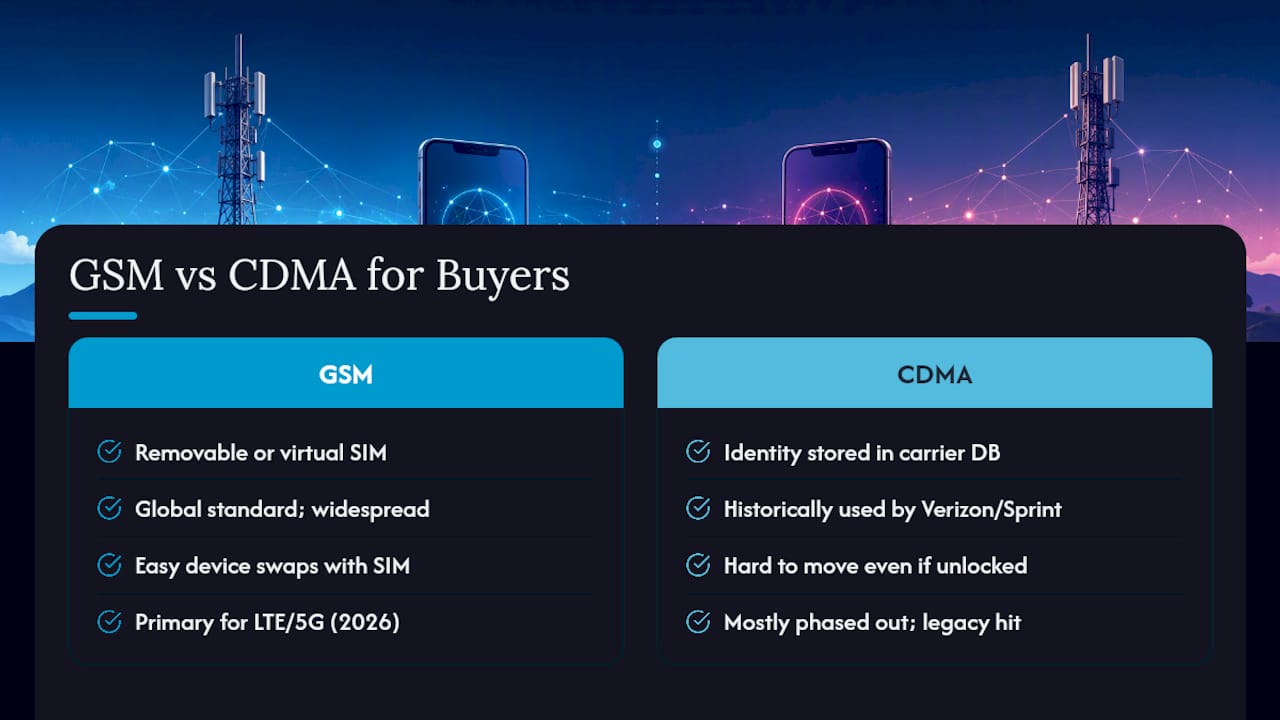
CDMA, the technology historically used by Verizon and older Sprint networks, worked differently. It tied a phone’s identity to the carrier’s internal database rather than a removable SIM, which is why older CDMA-only devices were notoriously difficult to move between carriers even when technically “unlocked.” If you’re buying an older used phone, especially anything more than five or six years old, checking whether it was originally a CDMA-only device is worth the extra minute. It’s the single biggest reason a technically unlocked phone still refuses to activate.
The good news is that this distinction matters far less in 2026 than it did a decade ago. Every major U.S. carrier has shifted to GSM-based LTE and 5G infrastructure, and most phones sold in the last several years support the GSM standard by default regardless of which carrier originally sold them. Where it still bites buyers is with older refurbished devices, particularly ones originally sold exclusively through a CDMA carrier before that transition completed. Checking the model’s original network technology, not just its current unlock status, is a five-minute step that prevents a returned package two weeks later.
Why Verified Refurbished Beats Guesswork on Unlocked Phones
Most compatibility disasters trace back to one thing: nobody checked the phone properly before it changed hands. That’s the gap Devicegiant’s TrueGrade inspection closes, running every device through a 25-point functional check and backing it with a 90-day return window. Listings like the T-Mobile Revvl 5G and the Samsung Galaxy A14 5G show unlocked status and network compatibility right on the product page, so you’re not guessing based on a stranger’s word in a marketplace listing. It’s also the more sustainable choice, keeping a working device out of a landfill instead of funding another new unit.
— Saad
Buy an Unlocked Phone That Actually Works on T-Mobile
Skip the private-seller gamble entirely. Devicegiant tests every device against that same 25-point TrueGrade checklist before it ships, backs it with a 90-day return policy, and lists unlocked status and network compatibility directly on the product page, not buried in a message thread with a stranger.

Browse the full lineup of verified refurbished phones if you want to compare models side by side, or go straight to a proven option like the Samsung Galaxy A14 5G, a solid budget pick with confirmed GSM/CDMA compatibility for T-Mobile’s network. Check the listing, confirm the IMEI details on the page, and you’ll know exactly what you’re getting before it ships.


