
64GB vs 128GB iPhone: Which Storage Fits Your Budget?

For most budget-minded buyers, 128GB is the smarter pick because it absorbs three to four years of photos, apps, and updates without constant cleanup, while 64GB only makes sense if you stream almost everything and don’t mind managing storage regularly. After iOS and default apps take their cut, a “64GB” phone gives you closer to half of that amount as usable space.
- Choose 64GB if: you’re buying a backup or prepaid phone, you live inside Spotify and Netflix rather than downloading media, or the price gap is the only thing stopping you from buying at all.
- Choose 128GB if: you take regular photos and video, keep more than a dozen apps installed, or plan to keep this phone for three years or longer.
- Skip both if: you shoot a lot of 4K video or want zero storage anxiety. Look at 256GB instead, refurbished if the price of new stings.
Key Takeaways
Most budget-conscious buyers should choose 128GB over 64GB because it absorbs years of photo and app growth for a monthly-equivalent cost of a few dollars.
| Point | Details |
|---|---|
| Default to 128GB | It handles average photo, video, and app use for three-plus years without constant cleanup. |
| Choose 64GB selectively | Only fits light users, backup phones, or dedicated streamers who rarely download media. |
| Cost spreads thin over time | A $50 to $100 upgrade often equals $1.50 to $4 a month across a 3-year ownership cycle. |
| Check storage before buying | Settings → General → iPhone Storage shows exactly what’s eating space right now. |
| Consider refurbished for more storage | Devicegiant’s inspected refurbished phones offer higher storage tiers for near-64GB new pricing. |
Table of Contents
- 64GB vs 128GB iPhone: The At-a-Glance Comparison
- Who Should Buy a 64GB iPhone?
- Who Should Buy a 128GB iPhone?
- How Long Will 64GB Actually Last?
- How to Make 64GB Work for You
- Is the 128GB Upgrade Worth the Extra Cost?
- How to Check Your iPhone’s Storage Right Now
- Why Refurbished Devices Change the Storage Math
- What I’d Pick on a Tight Budget
- Get More Storage for Less With Refurbished
- Sources
64GB vs 128GB iPhone: The At-a-Glance Comparison
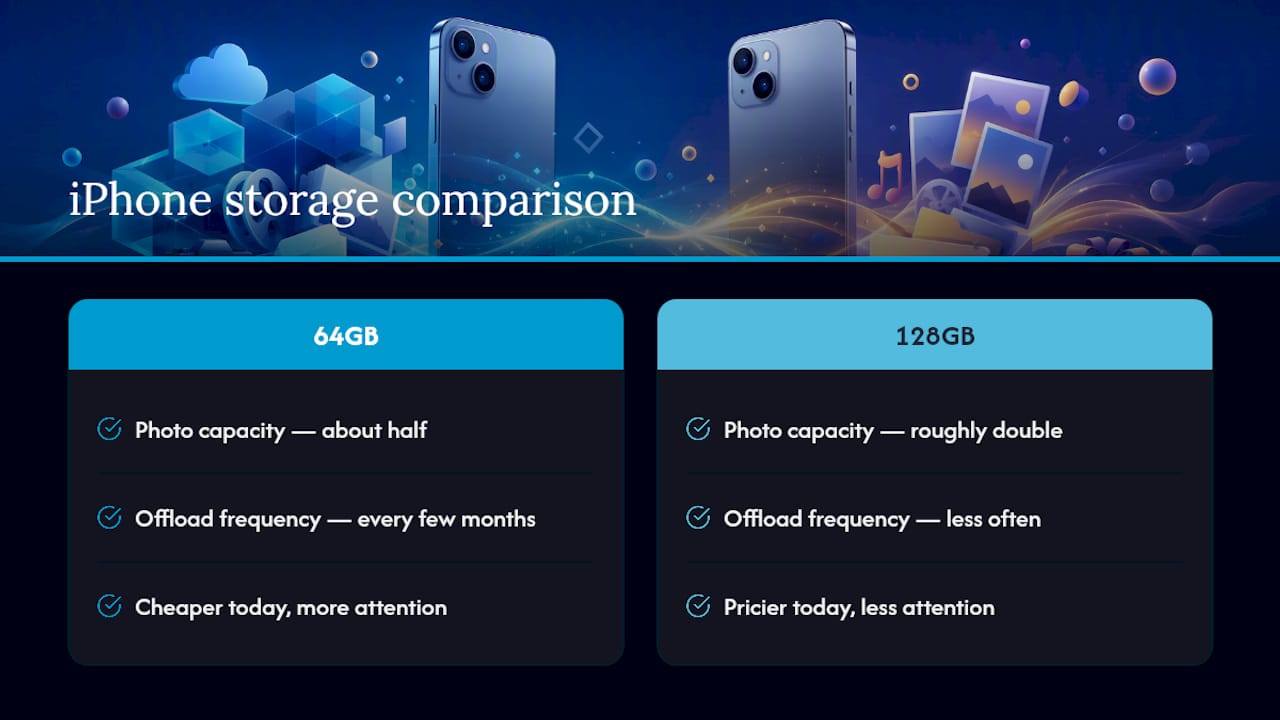
The DB Labs analysis on iPhone photo capacity shows the gap isn’t small: 128GB roughly doubles or significantly increases how many photos you can keep before you’re forced to delete or offload anything. The real trade-off is time, not just money. Sixty-four gigs saves you cash today but costs you attention every few months.
Who Should Buy a 64GB iPhone?
Sixty-four gigs isn’t a bad choice. It’s a specific choice, and it fits certain people better than a spreadsheet comparison ever will.
- The backup or hand-me-down phone. If this iPhone lives in a drawer for emergencies or gets passed to a kid for games and texting, 64GB is plenty and you shouldn’t pay more.
- The prepaid or secondary-line user. A second number for work or travel rarely accumulates a personal photo library, so storage pressure stays low.
- The dedicated streamer. If Spotify, Apple Music, and Netflix cover your media and you never download offline content, you’re barely touching storage beyond apps and system files.
- The minimalist app user. Someone running 10–15 apps total, mostly messaging and browsing, uses a fraction of what a gamer or content creator burns through.
- The cloud-first photographer. If Google Photos or iCloud Photos immediately offloads originals and you’re comfortable relying on a data connection to view old pictures, local storage matters less.
- Someone replacing a phone every 1–2 years. Shorter ownership cycles mean less time for storage to compound into a problem.
- A strict budget shopper prioritizing the lowest sticker price. Sometimes the honest answer is that every dollar counts right now, and that’s a legitimate reason on its own.
- A student or teen with school-managed or shared devices. Storage needs stay predictable when usage is monitored and media-heavy apps are restricted.
The caution that applies across nearly all of these profiles: iOS updates alone can eat 4–6GB per year, and even light users tend to see “Storage Almost Full” warnings within two to three years without any cleanup habits in place.
Who Should Buy a 128GB iPhone?
This is where most people actually land, and for good reason.
- The average social and family user. Regular photos of kids, pets, trips, and everyday life add up fast, typically several gigabytes a month once you include Live Photos and short clips.
- The occasional video shooter. If you record a few short 4K clips a month rather than daily, 128GB handles it without forcing constant deletions.
- The light gamer. Modern games with high-resolution textures can each run 2–4GB installed; a handful of them plus regular apps adds up quickly on 64GB but barely dents 128GB.
- The multi-app juggler. Banking, navigation, food delivery, fitness tracking, work tools, and social apps together often exceed 20–30 apps for a typical adult smartphone user.
- The three-plus-year owner. DB Labs’ 2026 buying guide notes that 128GB fills up for many average users within about two to three years, which makes it the realistic minimum if you plan to hold onto the phone that long.
- Anyone who hates deleting things. If scrolling through your camera roll deciding what to erase sounds miserable, buy the buffer now instead of managing scarcity later.
- Parents sharing a device with kids. Educational apps, games, and downloaded videos for offline car rides consume space in bursts.
- Podcast and offline-media downloaders. Downloading episodes or playlists for flights and commutes adds recurring chunks of storage that streaming-only users never touch.
Pro Tip: Turn on Optimize iPhone Storage under Settings → Photos even on a 128GB phone. It keeps smaller versions locally and pulls full-resolution originals from iCloud only when you open them, which can buy you months of extra headroom for free.
How Long Will 64GB Actually Last?
Numbers make this decision concrete instead of theoretical. Here’s how four common usage patterns play out, assuming roughly 50–55GB of usable space on a 64GB phone after iOS and default apps.
- Photo-only user (no video): Averaging 200 HEIC photos a month at 3–5MB each adds up to roughly 1GB monthly, or 12GB a year. A 64GB phone lasts about four years before hitting capacity; 128GB stretches past eight.
- Mixed photo and occasional video: Add a few short 4K clips monthly. At roughly 170–400MB per minute of 4K footage, even 10 minutes a month adds 2–4GB. Combined with photos, that’s 3–5GB monthly, filling 64GB in under a year and a half.
- Video-heavy creator: Regular 4K recording, even at 15–20 minutes weekly, can consume 10GB or more per month. A 64GB phone can fill quickly if recording video heavily; 128GB provides roughly double the space, delaying storage management needs.
- Gamer with 5–10 installed titles: Game installs can take a large portion of storage, leaving limited available space on 64GB models.
The rule of thumb: check your current phone’s camera roll size in Settings, multiply by your expected years of ownership, and add 15GB for iOS and app growth. If that number tops 55GB, 64GB won’t get you through the phone’s usable life comfortably.
How to Make 64GB Work for You
If you’ve decided 64GB fits your budget and habits, these steps keep you ahead of the “Storage Almost Full” notification instead of scrambling after it hits.
- Enable Optimize iPhone Storage (Settings → Photos) so full-resolution originals live in iCloud instead of taking up local space.
- Subscribe to a low-cost iCloud+ plan. 200GB runs a few dollars a month and effectively removes the local storage ceiling for photos.
- Offload unused apps (Settings → General → iPhone Storage → Offload Unused Apps) to reclaim space while keeping your data and icon.
- Delete large forgotten videos first. A handful of old screen recordings or duplicate clips can free multiple gigabytes in minutes, according to Tidy’s breakdown of iPhone storage usage.
- Convert Live Photos to still images for shots you don’t need motion on. Each conversion saves a few extra megabytes, which adds up across hundreds of photos.
- Shoot in High Efficiency (HEIC) format instead of Most Compatible, cutting photo file sizes roughly in half with no visible quality loss.
Pro Tip: Sort your camera roll by file size instead of date, then delete the largest 20 videos first. That single ten-minute pass usually reclaims more space than a week of deleting random old photos one by one.
Is the 128GB Upgrade Worth the Extra Cost?
Spread over time, the storage premium looks a lot smaller than it does at checkout. A $50 to $100 upgrade from 64GB to 128GB, divided across 24 to 36 months of ownership, works out to somewhere between $1.50 and $4 a month. DB Labs frames a comparable jump, noting the $100 premium from 128GB to 256GB comes out to less than $3 per month over three years.
- If you’d otherwise need a paid iCloud plan to make 64GB workable, that’s another $1 to $3 monthly, closing the cost gap even further.
- The upgrade pays for itself in convenience the first time it saves you from deleting photos on vacation to make room for new ones.
- For anyone keeping a phone three years or more, the monthly-equivalent cost of extra storage is often cheaper than the time spent managing a full one.
Treat it as a subscription you pay once instead of monthly, and the math tilts firmly toward 128GB for most ownership timelines.
How to Check Your iPhone’s Storage Right Now
Before you decide anything, look at what you’re actually using. Go to Settings → General → iPhone Storage. You’ll see a color-coded bar breaking storage into Apps, Photos, System Data, and Media, along with a list of every app and how much space it occupies.
- Check the System Data figure first. Modern iOS installs alone can use 12 to 15GB, and a bloated System Data category often signals cached files worth clearing.
- Scroll the app list for anything using several gigabytes you rarely open, and offload it.
- Tap into Photos to see if Optimize Storage is active; if not, turn it on.
- Look for Recently Deleted and empty it manually instead of waiting 30 days.
Quick checklist before you decide on a new phone: delete large videos, offload dormant apps, clear duplicate photos, and confirm your iCloud backup is current. That last step matters regardless of which storage size you choose next.
Why Refurbished Devices Change the Storage Math
Here’s the part budget buyers often miss: the 64GB versus 128GB decision assumes you’re paying full price for a new phone. Buying certified refurbished flips that constraint. A refurbished 128GB or even 256GB model frequently costs about the same as a brand-new 64GB device, which removes the trade-off entirely instead of forcing you to pick a side.
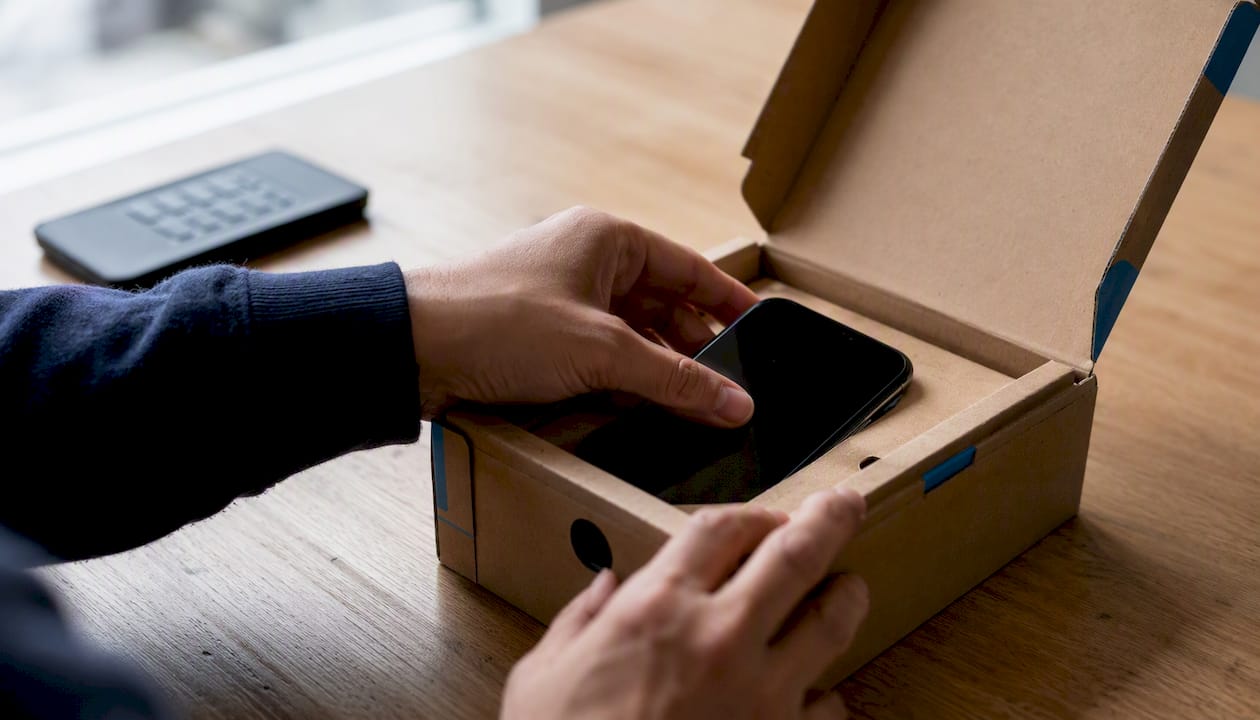
Before buying refurbished, check five things: the inspection grade (A through D), the return window, battery health percentage, whether the device is unlocked or carrier-locked, and the seller’s track record. A trustworthy seller discloses cosmetic condition upfront rather than leaving you guessing.
Pro Tip: Look for refurbished iPhones one to two generations back with 128GB or higher. You’ll usually get more storage than a brand-new base model for less money, without sacrificing meaningful performance.
What I’d Pick on a Tight Budget
If I had to choose new at full price with a hard budget ceiling, I’d take 64GB and lean hard on iCloud offloading rather than stretch for 128GB I couldn’t comfortably afford. But if refurbished is on the table, I’d skip that compromise entirely and buy a refurbished 128GB or 256GB model instead. The monthly-equivalent cost difference is small, and the freedom from managing storage is worth more than people expect until they’ve lived without it.
Get More Storage for Less With Refurbished
Once you know how fast 64GB fills up, paying full retail price for extra storage feels like the wrong trade. Devicegiant sells verified refurbished iPhones at up to 70% less than new, which means a 128GB or higher model often costs about what a base 64GB phone runs elsewhere.

Every device passes Devicegiant’s 25-point TrueGrade inspection covering battery health, screen condition, and functionality, backed by a 90-day return policy if anything isn’t right. Before you buy, confirm the cosmetic grade, check whether the unit is unlocked or carrier-specific, and verify the return window, exactly the checklist covered above. If full storage is already an issue on your current phone, a full storage guide from RapidRepairs explains how it can slow down performance beyond just running out of space.
Browse Devicegiant’s refurbished inventory, including options like the iPhone 14 Plus starting at $226 or the Samsung Galaxy A16 5G 128GB, and pick a storage tier that fits your habits instead of your budget alone.
Sources
- How Many Photos Can an iPhone Hold? (By Model) | DB Labs
- iPhone Storage Full? How Much Space Photos Take - Tidy Blog


