
How to Run an Activation Lock Check Before You Buy

You can confirm an Apple device is Activation Locked by powering it on and watching for specific setup or lock screen messages. If you see them, do not buy the device until the seller removes the lock. Here’s what to do right now, in person, before any money changes hands.
Power the device on and walk through setup. You’ll land on one of two screens: the Hello screen, which means the device is clear and ready to activate, or a message demanding the previous owner’s Apple ID, which means it’s locked.
If the phone or tablet is already set up and running, check a second way:
- Go to Settings > [your name] > Find My and see if Find My is turned on.
- Ask the seller to log into iCloud.com/find and remove the device from their account while you watch.
- Restart the device afterward to confirm it now reaches the Hello screen.
Do these three things and you’ll know the device’s real status before you hand over cash, not after.
Key Takeaways
Activation Lock status is only confirmed for certain by watching the device’s own setup screen, not by any remote lookup tool.
| Point | Details |
|---|---|
| Power on and watch | Reaching the Hello screen means clear; an activation prompt means locked. |
| Check Find My directly | Settings > Apple Account > Find My shows on if Activation Lock is active. |
| Only two legitimate fixes | The previous owner via iCloud.com/find, or Apple Support with proof of purchase. |
| Skip the IMEI-only shortcut | Server-side checks during setup are definitive; third-party lookups aren’t. |
| Buy pre-cleared when possible | Devicegiant clears Activation Lock through its 25-point TrueGrade inspection before shipping, backed by a 90-day return window. |
Primary sources and further reading
- Activation Lock for iPhone and iPad
- Remove a device from Find My on iCloud.com
- Activation Lock security overview
- Activation Lock for Mac
- How to check Activation Lock status
Table of Contents
- What Activation Lock Is and Why It Matters
- How Do You Check Activation Lock on an iPhone or iPad?
- Checking Activation Lock on a Mac or Apple Watch
- How Do You Remove Activation Lock Legitimately?
- Red Flags That Signal a Locked or Stolen Device
- The In-Person Checklist Before You Pay
- Why Online IMEI Checkers Can’t Guarantee Activation Lock Status
- Get a Device That Arrives Already Cleared and Ready to Use
- Frequently Asked Questions
- Sources
What Activation Lock Is and Why It Matters
Activation Lock is a security feature that switches on automatically the moment Find My is enabled, tying the device to the owner’s Apple Account. Erasing the phone doesn’t remove it. Without the original Apple ID and password, or an approved removal from Apple, the device stays locked at setup no matter how many factory resets you run.
It covers more than iPhones:
- iPhone and iPad
- Mac (Apple Silicon and T2 models)
- Apple Watch
- Apple Vision Pro
The lock lives on Apple’s servers, not on the device itself, which is exactly why a used phone that looks pristine can still be permanently unusable to anyone but its original owner.
How Do You Check Activation Lock on an iPhone or iPad?
Three checks cover almost every situation you’ll run into at a meetup, a pawn shop, or a private sale.
Method 1: Watch the setup screen. Power the device on cold. If it asks you to activate with a message like “iPhone Locked to Owner” or “Activate iPhone” and won’t proceed without a specific Apple ID, it’s locked. Reaching the Hello screen means it’s genuinely ready for a new owner.
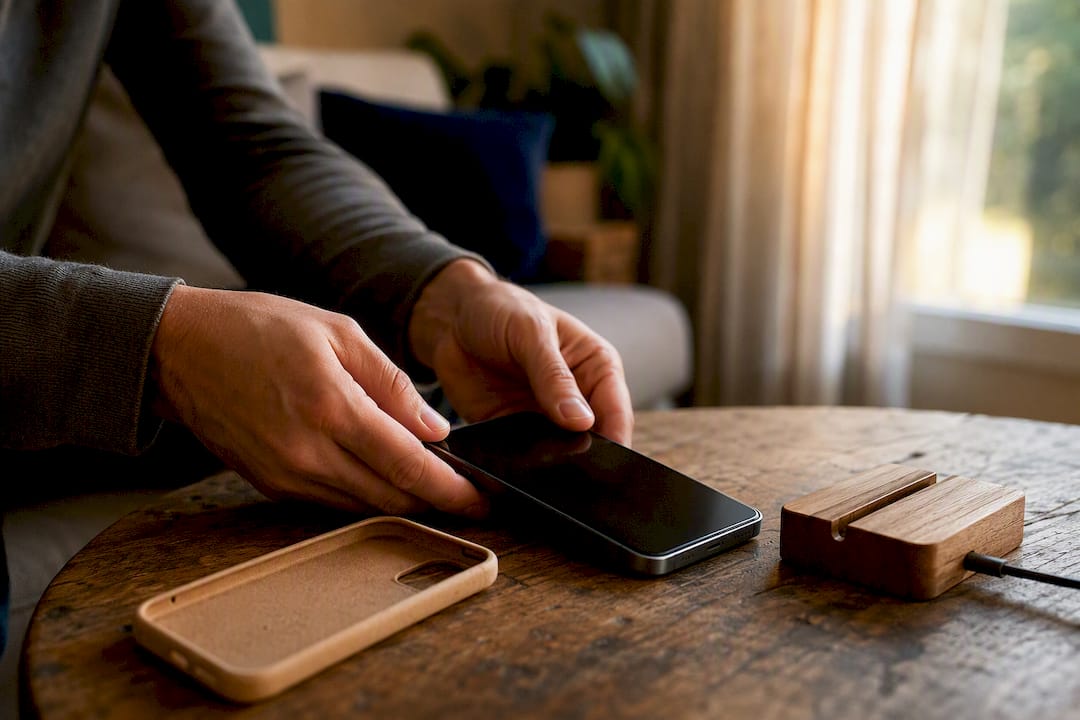
Method 2: Read the lock screen before erasing. If the seller hands you a phone that’s already signed in, don’t erase it yourself and hope for the best. A device that demands the previous owner’s Apple ID mid-setup, even after a fresh erase, confirms the lock followed the hardware, not the data.
Method 3: Check Find My directly. If the phone is unlocked and usable, go to Settings > [Apple Account name] > Find My. If Find My shows as on, Activation Lock is active on that device right now, whether or not the current user realizes it.
Run this checklist in order before you pay:
- Ask the seller to sign out of their Apple ID and erase the device in front of you.
- Watch it reboot into the Hello screen, not an activation prompt.
- Confirm Find My reads off if you skip the full erase.
- If anything looks off, ask the seller to remove the device from iCloud.com/find live, on their phone, while you watch the screen change.
Pro Tip: Never accept a screenshot as proof the device was removed from an account. Screenshots can be old or edited. Insist on watching the live action on the seller’s own device.
Checking Activation Lock on a Mac or Apple Watch
Macs and Apple Watches surface the lock differently than iPhones do, so the same three-step method needs some adjusting.
On an Apple Silicon or T2 Mac, go to the Apple menu, choose About This Mac, click More Info, then System Report, and look for the Activation Lock Status field. You can also just start setup cold and see if an Activation Lock screen interrupts it.

For an Apple Watch, the lock status usually follows whatever iPhone it’s paired to. Unpairing the Watch through the Watch app on that iPhone removes Activation Lock automatically. If you’re setting up a Watch fresh and it asks for someone else’s Apple ID, treat that exactly like a locked iPhone.
Pro Tip: A device wiped and sold through a school or company MDM program can still show as locked even with a legitimate receipt in hand, because release depends on the organization, not the seller. Always ask directly whether a device came from a managed fleet.
How Do You Remove Activation Lock Legitimately?
Two paths exist, and only two. Everything else is either a scam or a dead end.
Route one: the previous owner removes it. They sign in to iCloud.com/find, select the device, choose Erase, then Remove from Account. This takes under a minute and never requires them to hand you their password.
Route two: Apple Support with proof of purchase. If the previous owner is unreachable, Apple will consider removing the lock only through a formal support request. You’ll need the original receipt, the device’s serial number or IMEI, and matching identification. Apple won’t grant removal if the device shows as lost or stolen.
A seller who genuinely owns the device has zero reason to refuse either route. Removing the lock costs them nothing and takes minutes. Reluctance itself is information.
A few special cases complicate this:
- Devices tied to Apple School Manager or Apple Business Manager need release from that organization’s admin, not Apple Support directly.
- Repaired devices with a swapped battery, display, or Touch ID sensor can carry a part-level lock that needs Repair Assistant or the previous part owner to clear.
- If a seller claims proof of purchase, ask to see the original receipt and the box’s serial number, and confirm both match the device in hand.
Red Flags That Signal a Locked or Stolen Device
Some sellers won’t tell you a device is locked. They’ll just avoid the topic. Watch for these signs:
- The seller refuses to sign out or erase the device in front of you.
- They offer a steep discount for an “as-is” unit and discourage testing it.
- They suggest a paid “unlock service” or third-party bypass tool to fix it after the sale.
Third-party bypass services can’t perform Apple’s server-side activation handshake, so most either fail outright or are outright scams charging for nothing. If a seller won’t unlock the device or prove they legitimately own it, walk away.
The In-Person Checklist Before You Pay
Bring this exact sequence to any meetup or store counter:
- Check the serial number or IMEI on the box against the one under Settings > General > About.
- Power the device on and confirm it reaches Hello, not an activation prompt.
- Watch the seller sign out of their Apple ID and erase the device.
- Recheck Settings > Find My to confirm it now reads off.
- Ask for a receipt if anything about the sale feels rushed or evasive.
If a seller insists they already removed it remotely, don’t take their word for it. Have them restart the device and watch it hit Hello, or pull up iCloud.com/find on their own phone and remove it while you’re standing there. If you already paid and discover the lock afterward, request a refund immediately and report the listing on whatever platform you used.
Why Online IMEI Checkers Can’t Guarantee Activation Lock Status
Activation Lock gets enforced during the activation handshake between the device and Apple’s servers, which happens only when that specific device tries to set up. A website that takes your IMEI and returns a status wasn’t part of that handshake. It’s guessing, sometimes accurately, often not.
Use IMEI lookup tools for what they’re actually good at, like checking whether a phone is unlocked from its original carrier or spotting a blacklist flag. Don’t treat one as a substitute for watching the device boot up yourself.
Pro Tip: Run an IMEI check as a first-pass screen before you travel to see a device, then confirm everything on-device once you’re actually holding it.
A buyer’s take: why verified refurbishers cut this risk down
Devicegiant performs a comprehensive inspection before shipping devices and backs every sale with a return window. That’s a different risk profile than a private listing where you’re the one running these checks blind.
Get a Device That Arrives Already Cleared and Ready to Use
Every check above exists because private sales put the burden on you. Devicegiant flips that. Every phone, tablet, and smartwatch goes through the 25-point TrueGrade inspection before it ships, which includes confirming Activation Lock and Find My are cleared, not just checking that the screen turns on.

Cosmetic condition is graded honestly from A to D so you know exactly what’s arriving, and every order carries a 90-day return window if anything doesn’t check out. That’s meaningfully more protection than a meetup with a stranger and a hope that their receipt is real. Browse the current lineup of inspected refurbished phones and pick a device that’s already been through the checks this article just walked you through.
Frequently Asked Questions
Can I check activation lock status without turning the device on? Not reliably. Some online IMEI checkers claim to show status, but only the on-device activation process actually communicates with Apple’s servers to confirm it.
Does erasing a locked iPhone remove Activation Lock? No. Activation Lock survives a factory reset because it’s tied to Apple’s servers, not the data on the phone. Only the original account holder or Apple Support can clear it.
What if the seller says they lost access to their old Apple ID? Direct them to Apple’s account recovery tools at appleid.apple.com. If they truly can’t recover it, they’ll need to go through Apple Support with proof of purchase instead.
Is it legal to pay someone to bypass Activation Lock? Bypassing a lock you don’t have authorization to remove can violate Apple’s terms and, depending on the device’s origin, may involve stolen property. Legitimate removal only happens through the account owner or Apple Support.
Does Activation Lock affect resale value? Yes, significantly. A locked device is essentially unusable to anyone but the original owner, which is why verified sellers clear it before listing and why private sellers who won’t unlock a device should raise immediate suspicion.
Sources
- Activation Lock for iPhone and iPad
- Remove a device from Find My on iCloud.com - Apple Support
- Activation Lock security - Apple Support
- How to Remove iCloud Activation Lock from a Used iPhone | Mac Observer
- How to check the Activation Lock status (2025 guide) - iGeeksBlog


