
Is a Refurbished Apple Watch Worth It or a Risk?

Yes, a refurbished Apple Watch is worth it for most buyers, as long as you demand proof on four things before you pay: Activation Lock is off, the model number matches the listing, battery health is disclosed, and cellular compatibility fits your carrier. Skip any of those checks and you’re gambling, not shopping.
The math usually favors you. Buyers typically save a significant amount compared to buying new, and the deeper end of that range often signals a model that’s a generation or two old rather than a red flag on its own, according to refurbished Apple Watch buying guides. Apple’s own Certified Refurbished program backs its units with a one-year warranty and factory-level inspection, which is the closest thing to a new-device guarantee you’ll find on a used product. Third-party refurbishers, including Devicegiant, tend to price more aggressively while still offering real warranties and return windows.
- Activation Lock must show as removed, confirmed through the seller or a direct check on the device.
- The exact model number (found in Settings or on the case back) must match what’s advertised.
- Battery health should be stated as a percentage, not described vaguely as “good” or “great condition.”
- Cellular models need carrier and region confirmation before you buy, especially across borders.
Pro Tip: If a seller can’t produce a live battery health screenshot within a few minutes of asking, treat that as a warning sign, not an oversight.
Key Takeaways
A refurbished Apple Watch is worth buying when the seller proves Activation Lock removal, discloses battery health, and backs the sale with a real warranty.
| Point | Details |
|---|---|
| Verify Activation Lock first | Confirm in writing that it’s removed before you pay anything, regardless of price. |
| Demand battery health data | Look for above 90% for daily use and treat mid-80s as acceptable, watch carefully below mid-80s. |
| Match seller type to risk tolerance | Choose Apple Certified Refurbished for maximum assurance, third-party refurbishers for better pricing with real warranties. |
| Prioritize newer models | Favor Series 9 and later or Ultra models for the longest remaining watchOS support window. |
| Devicegiant as a practical option | Its TrueGrade 25-point inspection, disclosed grading, and 90-day return policy fit risk-averse, price-conscious buyers. |
Table of Contents
- Is a Refurbished Apple Watch Worth It Compared to Buying New?
- Why Buying Refurbished Can Make Sense
- What Are the Main Risks of Buying a Used Apple Watch?
- What Should You Check Before Buying a Refurbished Apple Watch?
- Where Should You Buy a Refurbished Apple Watch?
- Which Apple Watch Models Are Worth Buying Refurbished?
- How Much Should You Expect to Save on a Refurbished Apple Watch?
- How Does Devicegiant Inspect and Guarantee Its Refurbished Watches?
- When Is a Refurbished Apple Watch Worth It, and When Isn’t It?
- What We’ve Learned Reviewing Refurbished Smartwatch Listings
- Buy Refurbished With Real Verification, Not Just a Lower Price
- Sources
Is a Refurbished Apple Watch Worth It Compared to Buying New?
For most price-conscious shoppers, yes. The gap in experience between a well-vetted refurbished unit and a brand-new one is small, while the price gap is not. That said, the word “refurbished” gets used loosely across the market, and the label on a listing tells you a lot about what protections you’re actually getting.
Apple Certified Refurbished means Apple itself (or an authorized partner) tested the device, replaced the battery or other worn components as needed, repackaged it, and backs it with a full one-year warranty plus AppleCare+ eligibility. This is the gold standard.
Third-party refurbished covers companies like Devicegiant that run their own multi-point inspections, grade cosmetic condition, and issue their own warranties, typically ranging from 90 days to a full year depending on the seller.
Renewed is a marketing term used by some large marketplaces. It generally implies some functional testing but the rigor varies widely from listing to listing, so the word alone tells you less than a stated warranty length does.
Used (peer-to-peer) means exactly what it says. No inspection standard, no guaranteed warranty, and Activation Lock removal depends entirely on the previous owner’s honesty.
- Apple Certified Refurbished: highest assurance, backed by a manufacturer warranty period.
- Third-party refurbished: strong assurance when the seller publishes a real grading system and test process.
- Renewed: inconsistent, worth checking the seller’s specific policy rather than trusting the label.
- Used/private sale: highest risk, lowest recourse if something’s wrong.
Why Buying Refurbished Can Make Sense
The savings are real, and they get better the further back you go in the product line. A one- or two-generation-old Apple Watch bought refurbished can run 15% to over 40% below its original price, and that gap widens further once Apple or a retailer stops selling it new entirely, based on independent refurb pricing analysis. That means the best deals often aren’t on last year’s model.
There’s also a genuine environmental angle here, not just a marketing one. Every refurbished unit sold is one less watch mined, assembled, and shipped from scratch, and one less unit heading to a landfill. If you care about e-waste but also care about your wallet, refurbished buying is one of the few decisions that satisfies both at once.
Refurbished purchasing also opens up configurations that simply aren’t available new anymore. Discontinued case finishes, older aluminum colorways, and specific size combinations vanish from retail shelves fast, but they resurface constantly in the refurbished market. If you have a specific look or size in mind and don’t need the newest chip, refurbished is often the only path to getting exactly what you want.
Here’s the case for refurbished over the cheapest new base model: a refurbished mid-tier or high-tier watch from two generations back frequently has better sensors, screen, and battery capacity than the newest entry-level model. You’re not settling. You’re often trading a chip generation for meaningfully better hardware, at a lower price.
What Are the Main Risks of Buying a Used Apple Watch?
Activation Lock is the single biggest failure mode in this market, full stop. If the previous owner didn’t sign out of iCloud and remove the device from their account, the watch can lock you out entirely after pairing, turning an otherwise perfect device into an expensive paperweight. Guides on used-device buying consistently flag this as the first thing to verify, before price, before condition, before anything else.
Battery wear is the second-biggest issue, and it’s sneaky because a watch can look flawless and still have a battery that dies by mid-afternoon. Apple’s own guidance on battery performance and lifespan explains that capacity naturally degrades with charge cycles, and that a battery flagged with a “Service” warning needs replacement, not just a shrug.
Model mismatch trips up more buyers than you’d expect. Two watches can look nearly identical in photos while being different models entirely, with different chips, different cellular support, or different sensor sets. Cellular models bought from another region sometimes won’t activate on your carrier at all, which is a fact worth confirming before, not after, you pay.
Other predictable problems include:
- Non-genuine replacement parts (especially screens and bands) swapped in during a prior repair, sometimes without disclosure.
- Sensor damage to the back heart-rate or ECG sensors, often invisible until you’re mid-workout and the readings go haywire.
- Cosmetic grading that’s more generous than the device deserves, especially on marketplaces with no standardized grading scale.
- Water damage history that a cosmetic inspection alone won’t catch.
Watch for these red flags in a listing: no stated battery health, stock photos instead of the actual unit, a seller who won’t answer direct questions about Activation Lock, and prices dramatically below every comparable listing with no explanation.
Treat it as a question mark, not a bargain.*
What Should You Check Before Buying a Refurbished Apple Watch?
Run through this sequence with any seller, whether you’re buying online or standing at a kiosk.
- Ask for a screenshot of Settings, then General, then About, showing the exact model number.
- Ask for a screenshot of Settings, then Battery, then Battery Health, showing the maximum capacity percentage.
- Confirm in writing that Activation Lock has been removed, ideally paired with a demonstration that the watch pairs cleanly with a fresh iPhone.
- For cellular models, confirm the original country of sale and whether the eSIM or SIM setup is compatible with your carrier.
- Match the serial number on the listing against the serial number on the box or case back, if both are available.
| Check | Why it matters | How to verify | Acceptable response |
|---|---|---|---|
| Activation Lock status | A locked device can become unusable after pairing | Ask for written confirmation, or check via Apple’s tools if you have physical access | Clear statement it’s been removed, ideally demonstrable |
| Model number | Determines chip, features, and watchOS support window | Screenshot of Settings > General > About | Matches the exact model advertised, not “similar” |
| Battery health | Predicts real-world battery life and future degradation | Screenshot of Settings > Battery > Battery Health | Percentage stated clearly; vague like “good” is not acceptable |
| Cellular/region status | Determines if it will activate on your carrier | Ask for original sale region and carrier lock status | Explicit confirmation it’s unlocked or matches your carrier |
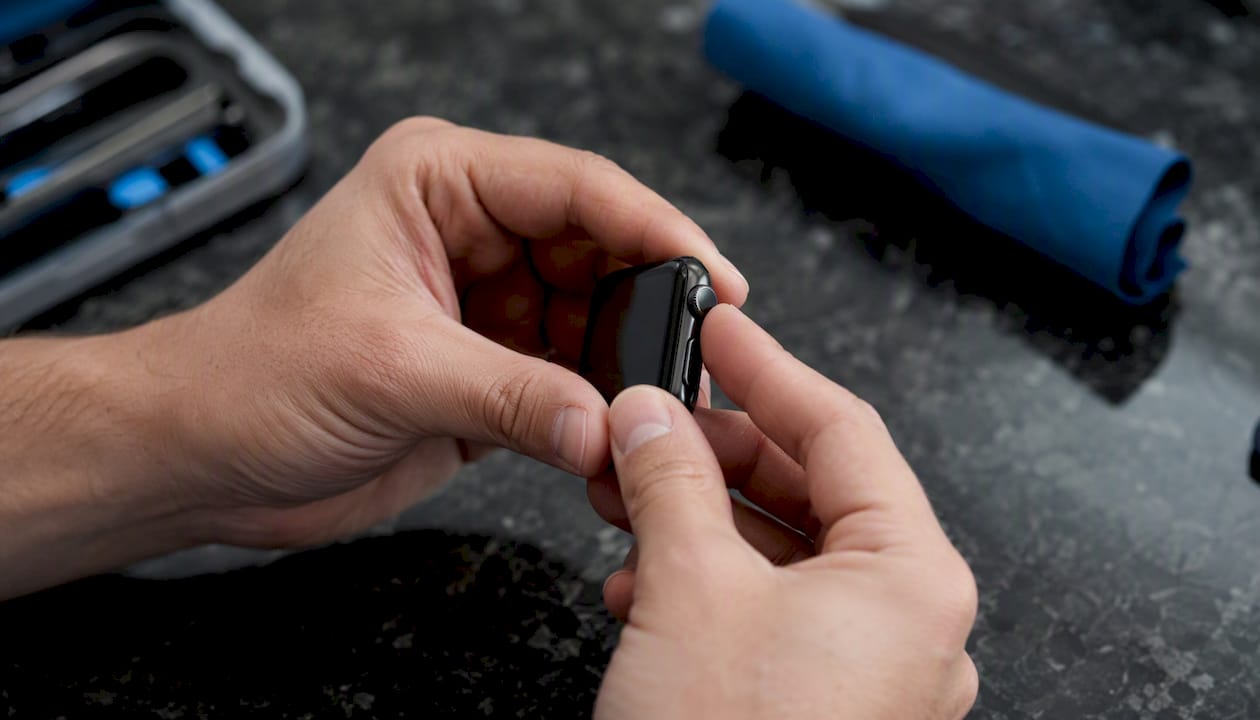
For remote purchases, insist on real-time screenshots rather than photos pulled from an old listing. According to device verification practitioners, reused screenshots are a common trick, and one easy tell is asking the seller to include the current date and time visible on the watch face in the same shot. For in-person buys, physically press the Digital Crown and side button to check responsiveness, and flip the watch over to inspect the sensor glass for hairline cracks that can throw off heart rate readings.
Where Should You Buy a Refurbished Apple Watch?
Your risk tolerance should decide which seller category you shop in, not just the price tag.
Apple Certified Refurbished, sold directly through Apple, gives you factory-level testing, a one-year warranty, and eligibility to add AppleCare+ on top, according to Macworld’s refurbished buying guide. This is the safest single option that exists in this category, and it’s the right call if peace of mind matters more to you than shaving off every possible dollar.
Third-party professional refurbishers, Devicegiant among them, typically run their own multi-point inspection processes and issue warranties that commonly land in the 90-day to 12-month range, according to practical second-hand buying guides. The trade-off is usually a lower price than Apple’s own program, in exchange for slightly less brand-name assurance. What matters here is whether the seller publishes a real grading standard and stands behind it with an actual return window, not just a vague “quality checked” claim.
Retail marketplaces and private sellers carry the widest range of outcomes. Some marketplace listings come with decent buyer protection; peer-to-peer sales through classifieds or social marketplaces generally have none. TechRadar’s assessment of the refurbished watch market notes that the real trade-off buyers face is peace of mind and manufacturer backing versus the deeper discounts private sellers can offer. If you go this route, you’re doing all the verification work yourself, with no recourse if something’s wrong.
Before buying from anyone, ask directly: What’s your return window? Is the battery health disclosed in writing? Can you confirm Activation Lock removal before I pay? A seller who answers all three without hesitation is worth trusting. One who dodges even one question isn’t.
Which Apple Watch Models Are Worth Buying Refurbished?
Prioritize models with the longest runway of software support left. A watch that’s already been dropped from the current watchOS version stops getting security patches and new features, no matter how good its battery health is.
- Series 9, Series 10, Series 11, and Ultra models are currently your safest long-term bets, sitting well within the active watchOS support window.
- Series 8 is worth considering specifically if you want temperature sensing and crash detection, features that debuted with that generation.
- Series 7 and SE (2nd generation) remain reasonable budget picks, but check the current watchOS support list before buying, since older hardware gets dropped from new updates over time.
- Avoid models already excluded from the newest watchOS releases unless the price reflects that you’re buying a short-term or secondary device rather than a daily driver.
Support timelines shift every year. MacRumors reported that watchOS 27 already dropped support for several previous-generation models, which is exactly the kind of cutoff that quietly turns a “good deal” into a watch with a shrinking shelf life. Check the current support list for whatever model you’re eyeing before you commit, not after.
How Much Should You Expect to Save on a Refurbished Apple Watch?
Savings bands tell you a lot about what you’re actually getting.
That kind of markdown often means an older model, a battery that’s due for replacement soon, or a seller cutting corners on inspection to hit a lower price point, per refurbished market pricing data. Ask specifically why the price is that low before assuming it’s just a great deal.
A quick way to sanity-check any listing: pull up three or four comparable refurbished listings for the same model and grade, then see where the price you’re looking at actually sits. Adjust your expectations up or down based on warranty length. A watch with a 90-day return window and disclosed battery health at a slightly higher price is often worth more than an unprotected private sale at a steeper discount.
How Does Devicegiant Inspect and Guarantee Its Refurbished Watches?
Devicegiant runs every device, smartwatches included, through a TrueGrade 25-point inspection before it’s ever listed for sale. That process checks core hardware functions like the display, buttons, crown responsiveness, and back sensors, alongside software checks including battery health reporting and confirmation that Activation Lock has been fully cleared from the previous owner’s account.
Every unit gets a disclosed cosmetic grade rather than a vague “like new” label, so you know exactly what condition you’re buying before it arrives, as part of the comprehensive professional service described at Buy watches - Watch Repair Station. Devicegiant backs every purchase with a return policy of an extended duration, giving you real time to test the watch in daily use rather than a narrow window that expires before you’ve worn it through a full week.
| Protection | Devicegiant | Apple Certified Refurbished |
|---|---|---|
| Inspection process | TrueGrade 25-point check | Factory-level Apple inspection |
| Warranty length | 90-day return policy | 1-year warranty |
| Cosmetic grading | Disclosed grade on every listing | Repackaged, minimal cosmetic disclosure needed |
| Activation Lock verification | Confirmed cleared before listing | Guaranteed cleared through Apple’s own process |
| AppleCare+ eligibility | Not applicable | Eligible |
The comparison isn’t about which is strictly better. Apple’s program wins on warranty length and AppleCare+ access. Devicegiant’s process wins on price and on giving you a full 90 days to actually live with the watch before deciding.
When Is a Refurbished Apple Watch Worth It, and When Isn’t It?
- If you’re a budget-first buyer who mainly wants fitness tracking and notifications, buy refurbished from a seller with disclosed battery health and at least a 90-day return window. You’ll likely save the most and the model gap barely matters for basic use.
- If you’re risk-averse and want maximum peace of mind, choose Apple Certified Refurbished directly, since the one-year warranty and AppleCare+ eligibility remove nearly all the guesswork.
- If you’re a long-term owner who wants years of software updates, prioritize the newest supported models (Series 9 and up, or Ultra) over saving an extra 10% on an older generation that’s closer to losing watchOS support.
- If you need cellular service internationally, confirm carrier and region compatibility in writing before buying anything, since this is the one check that can render an otherwise perfect watch useless.
- If a seller refuses to confirm Activation Lock status or won’t produce a real-time battery health screenshot, walk away regardless of price.
The short version: refurbished is worth it when you match your risk tolerance to the right seller category and refuse to skip the four non-negotiable checks. It stops being worth it the moment you let a good price talk you out of asking basic questions.
What We’ve Learned Reviewing Refurbished Smartwatch Listings
The biggest mistake we see repeatedly isn’t buyers choosing refurbished. It’s buyers choosing a listing that looks complete but is quietly missing one of the four checks that actually matter. A gorgeous set of photos and a confident description mean nothing if the seller goes quiet the moment you ask about Activation Lock or battery health.
The trade-off that gets underdiscussed is this: most buyers assume the risk in refurbished shopping is cosmetic condition. It isn’t. A scratched case is cosmetic. A locked Activation Lock or a battery already flagged for service is functional, and functional problems are the ones that actually ruin a purchase. Prioritize function over finish, every time.
If you take away one habit from this entire guide, make it this: insist on a live, real-time screenshot of Activation Lock status and battery health before you pay anything, not after. That single habit eliminates the majority of bad refurbished purchases before they happen, and it costs the seller nothing to provide if they’re being honest.
Buy Refurbished With Real Verification, Not Just a Lower Price
Devicegiant built its refurbished process around the exact checks this guide walks through: a TrueGrade 25-point inspection, disclosed cosmetic grading instead of vague labels, and confirmed Activation Lock clearance on every unit before it’s listed.

Every device also ships with a 90-day return window, giving you enough time to actually test battery life and daily performance rather than deciding within a rushed 14-day cutoff. If you’ve read this far, you already know what to check. The next step is browsing Devicegiant’s refurbished device selection and applying that same checklist to a real listing, including product pages that clearly disclose grading and condition before you commit to buying.
Sources
- Should I buy a refurbished Apple Watch? | Macworld
- Apple support: About battery performance and lifespan for Apple Watch
- Buy Used Apple Watch Checklist: What to Verify | Alphonso Labs
- Refurbished Apple Watch buying guide | refurbito
Check the current watchOS support list and Apple’s warranty terms for your specific model before finalizing any purchase, since both can shift from year to year.


