
Refurbished Phone Overheating? Buyers Check the 25 Point Battery Policy

Occasional warmth during gaming, navigation, or a long call is normal, even on a brand-new device. Persistent heat while the phone sits idle, rapid heating during light use, or any swelling or burning smell is not normal and signals a real problem. If that happens, stop using the phone, unplug it, and move it to a cool, ventilated spot right away. If you notice swelling, a chemical odor, or heat that builds within minutes of light use, power the device down completely and get professional help before doing anything else.
TL;DR:
- Most overheating in refurbished phones results from simple causes like faulty cables, rogue apps, or high ambient temperatures, not battery failure.
- Suspect a degraded battery if the device shows swelling, a chemical smell, or heats up quickly with minimal use, and handle it carefully to prevent fire risk.
- Always verify if the battery has been replaced or just tested; poor battery health significantly increases overheating and safety hazards over time.
- Use certified chargers and test with different accessories to avoid overheating caused by incompatible or counterfeit power supplies.
- Document issues thoroughly and contact the seller promptly to leverage warranty or return options before considering independent repairs.
Table of Contents
- What to Do First When a Refurbished Phone Overheats
- Diagnosing Whether It’s the Battery, Charger, Software, or Hardware
- Warning Signs of a Failing or Swollen Battery
- Getting a Warranty Claim, Return, or Repair Sorted
- What a Trustworthy Refurbishment Process Actually Checks
- Buying and Daily-Use Checklist to Prevent Future Overheating
- Why This Matters More Than Most Refurbished Phone Guides Admit
- Editorial Perspective: The Overheating Question Buyers Don’t Ask Loud Enough
- Where to Read the Original Guidance
- Sources
- FAQ
What to Do First When a Refurbished Phone Overheats
Before assuming the worst, run through the reversible fixes. Most refurbished phone overheating cases trace back to something simple: a bad cable, a rogue app, or a hot car dashboard, not a failing battery.
Work through these steps in order, and stop as soon as the phone cools:
- Unplug everything. Disconnect the charging cable, remove it from any wireless charging pad, and take off the case. Cases trap heat, and a snug silicone case can turn a warm phone into a genuinely hot one.
- Move it somewhere cooler. Direct sun, a car dashboard, or a gym bag pressed against your body all raise ambient temperature well past what the phone is designed for. Apple and Android manufacturer guidance both note that devices are built to operate between 32° and 95°F, and will throttle performance or shut down outside that range to prevent damage.
- Kill the heavy-duty apps. Games, video streaming, GPS navigation, and video calls tax the processor and graphics chip harder than almost anything else you do on a phone. Force-close them rather than just backgrounding them.
- Turn down the load. Drop screen brightness, and temporarily switch off Bluetooth, Wi-Fi, and any mobile hotspot. Less radio activity means less heat generated by the chipset.
- Test with a different charger. Swap in a manufacturer-certified or USB-IF certified cable and charger, and try a different wall outlet. Repair technicians frequently trace overheating in secondhand devices back to mismatched or counterfeit charging accessories.
- Restart and observe. Reboot the phone, then watch how it behaves both sitting idle and under light use. A device that returns to normal temperature within 10 to 20 minutes and stays cool during ordinary tasks has likely just had an environmental or software hiccup.
Pro Tip: Track how fast the heat comes back, not just how hot the phone gets. A phone that warms up only during a 45-minute game session is behaving normally. One that gets hot again five minutes after you unplug it, with the screen off and nothing running, is telling you something is wrong at the hardware level.
Diagnosing Whether It’s the Battery, Charger, Software, or Hardware
Isolating the actual cause takes about 15 minutes and saves you from either ignoring a real safety issue or panicking over a software glitch. Work through each category separately rather than guessing.
- Battery signs to check first: Open Settings and look at battery health (iOS shows a percentage under Battery Health & Charging; Android phones list battery usage and diagnostics under Battery settings). Rapid drain, heat that persists even when the screen is off, or a battery percentage that swings unpredictably all point toward degraded battery cells rather than software.
- Charger and accessory checks: Test the phone with the original or a certified charger on a different outlet. If overheating disappears with a known-good charger, the previous cable or block was the culprit. The CPSC has repeatedly warned that incompatible or counterfeit chargers can cause internal short-circuits, and that risk is higher with off-brand accessories bundled with secondhand devices.
- Software checks: Go to your battery usage screen and look for one app hogging background activity, often a poorly optimized third-party app rather than anything preinstalled. If a specific app correlates with every heating episode, uninstall it and watch for improvement. If the pattern persists across every app, back up your data and try a factory reset to rule out a corrupted system process. Pixel’s own support documentation recommends this same sequence for Android devices running warm.
- Hardware and physical damage checks: Inspect the phone for bends, hairline cracks near the charging port, or any sign of moisture damage under the SIM tray. Ask yourself whether the overheating started right after a drop, a spill, or a dunk in water. Physical stress on the battery or logic board is one of the more common triggers behind refurbished phone overheating that a visual inspection alone won’t catch.
Manufacturer thermal protections exist precisely because internal components can’t tolerate extremes. Apple and Google both document protective behaviors like reduced charging speed, disabled camera features, and automatic shutdown when a device crosses its safe operating window. If your phone displays a temperature warning on screen, that’s not a bug. It’s the system doing exactly what it was designed to do.
Warning Signs of a Failing or Swollen Battery
A battery that’s simply old drains faster. A battery that’s failing dangerously often looks different, and the difference matters for your safety.
Watch for these specific signs:
- The screen appears to be lifting or separating from the frame, especially near the edges.
- The back cover or frame feels soft, springy, or bulges slightly when pressed.
- You notice a gap where the phone used to sit flush on a table.
- There’s a chemical or burning smell, even faint.
- The phone gets hot within minutes of light use or while just sitting idle.
Swelling happens through outgassing, a chemical reaction inside the cell that occurs when a lithium battery has been overcharged, physically damaged, deeply discharged for long periods, or simply aged past its safe capacity. This isn’t cosmetic. A swollen battery is a genuine fire and injury risk, and it demands a specific response, not a wait-and-see approach.
If you see any of these signs: power the phone off if it’s safe to touch, and do not plug it in to charge under any circumstance. Place the device in a non-flammable container, a metal tin or ceramic dish works, away from anything combustible, and contact your seller or a repair center immediately. Never try to puncture, pry open, or squeeze a swollen battery, and never submerge the device in water. If you see smoke or active flame, get away from the device and call emergency services first. Repair specialists at iFixit are explicit on this point: professional removal is the only safe way to deal with a swollen cell.
Getting a Warranty Claim, Return, or Repair Sorted
Once you’ve confirmed the problem isn’t a loose cable or a rogue app, the next move is building a paper trail before you contact anyone.
- Document everything first. Take photos of any swelling or visible damage, screenshot your battery health percentage and any temperature warnings, and note the exact chargers and cables you were using when the overheating occurred. Timestamp everything.
- Contact the seller or refurbisher before anyone else. This preserves your warranty and return eligibility. Explain the symptoms, when they started, and what troubleshooting you already tried.
- Escalate only if needed. If the seller can’t resolve it, check whether the manufacturer offers a support path for that model. If both fall short, a certified repair center is the next stop, but going straight to a third-party repair shop first can sometimes void your remaining coverage. Consumer advocates generally recommend contacting the seller before any independent repair for exactly this reason.
Return and warranty windows vary a lot across the refurbished market. Some sellers offer as little as 14 days; others extend coverage closer to a year on certified programs, with Consumer Reports noting that this range is one of the biggest differentiators between reputable and low-quality refurbishers. Read the fine print on your original purchase before you assume you’re out of luck. For more detail on what coverage typically includes, see this breakdown of refurbished phone warranty terms.
What a Trustworthy Refurbishment Process Actually Checks
Not every phone labeled “refurbished” went through the same process, and that gap is exactly where overheating problems tend to originate. A seller who runs surface-level cleaning and a quick power-on test is a different proposition from one who runs full diagnostics.
A rigorous inspection process typically covers:
- Battery health testing, measuring actual charge capacity against the original spec, not just whether the phone turns on.
- Charging port and connector integrity, checking for corrosion, bent pins, or loose connections that generate resistance and heat.
- Thermal sensor function, confirming the phone’s internal temperature monitoring actually works and can trigger protective shutdowns.
- Display, camera, and button functionality, ruling out unrelated defects that might also point to internal damage.
A rigorous refurbishment process typically includes running every phone through a 25-point functional check covering these categories before listing it for sale, which is the kind of scrutiny Consumer Reports points to as the real dividing line between refurbishers whose phones perform like new and those that quietly leave a failing battery in a device.
Pro Tip: Before buying from any refurbisher, ask directly: was the battery replaced, or just tested? A phone that passed a battery test at 78% health will run hotter and degrade faster than one with a fresh battery, even if both are technically “functional.”
Buying and Daily-Use Checklist to Prevent Future Overheating
A few minutes of checking before you buy, and a few small habit changes after, cut your odds of dealing with this problem again.
At purchase time, look for:
- A stated battery-replacement policy or an explicit battery health percentage, not just “tested and working.”
- A clear description of what the inspection actually covers, not vague marketing language.
- A reasonable return window, giving you enough time to actually stress-test the phone.
- Warranty terms spelled out in writing, not just implied.
- Visible, verifiable seller reviews and ratings history.
For daily use, avoid charging the phone in direct sunlight, a hot car, or under a pillow. Use a certified charger and cable rather than whatever loose cord is closest. Skip heavy gaming or video streaming while the phone is plugged in, since charging and processing load together generate more heat than either alone. And if the phone runs hot specifically while charging, pull off any thick case first. This same logic applies to accessories in general; runners and athletes using phone storage during workouts should watch for armbands or pouches that trap heat against the device the same way a tight case does.
| What to check | Why it matters |
|---|---|
| Battery replaced or health % disclosed | Directly reduces overheating risk from degraded cells |
| Return window of 30 to 90 days | Gives you time to test the phone under real conditions |
| Written warranty terms | Protects you if a problem shows up weeks later |
| Certified charger included or specified | Avoids the counterfeit-accessory risk flagged by consumer safety regulators |
| Detailed inspection description | Signals whether the seller actually tests thermal and charging components |
Why This Matters More Than Most Refurbished Phone Guides Admit
Most advice on refurbished electronics treats overheating as a minor annoyance you troubleshoot and move past. That undersells it. Repeated thermal stress degrades lithium battery chemistry faster than normal aging does, which means a phone that runs hot regularly today is more likely to develop a genuinely dangerous swollen battery six months from now, not just a shorter battery life.
The refurbished market has a real quality gap that new-phone buyers never have to think about. A seller who skips battery replacement and calls a device “tested and working” is technically not lying, but they’re passing their risk on to you. That’s why the inspection and battery-replacement question matters more here than in almost any other electronics purchase decision.
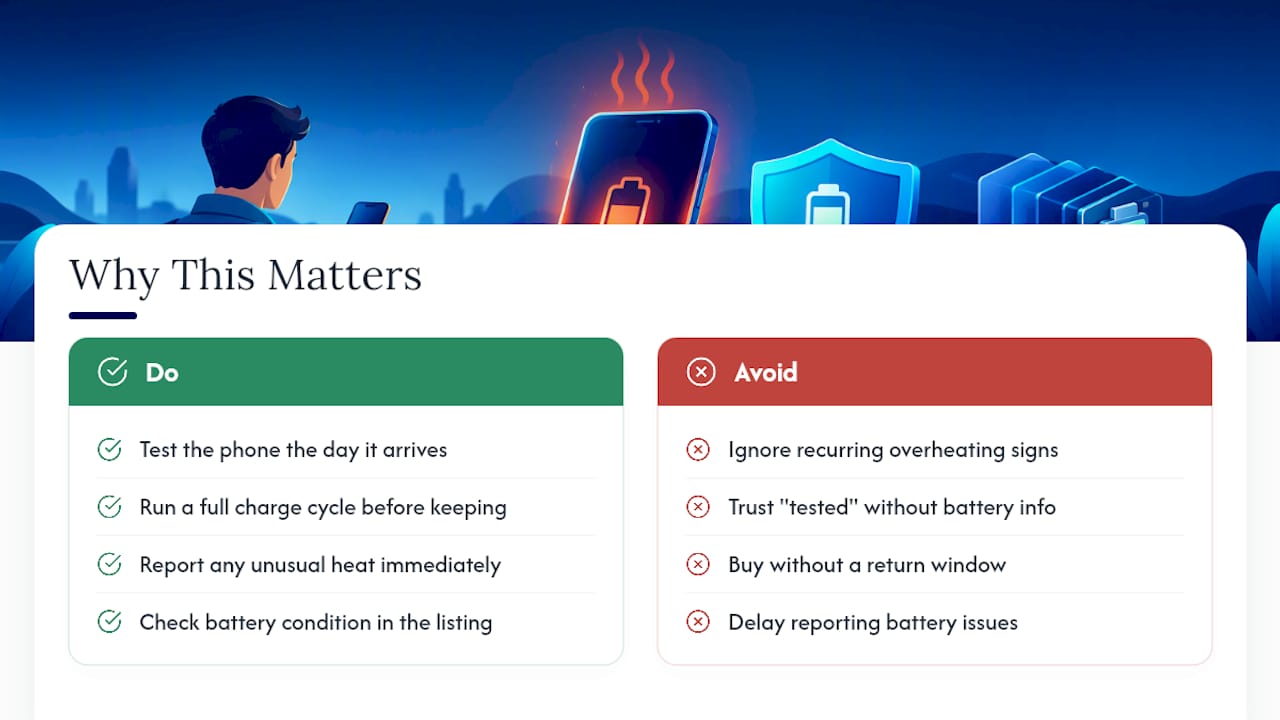
Device Giant’s TrueGrade inspection and a reasonable return window exist because of exactly this gap. If you buy from us and something feels off, test the phone the day it arrives, run it through a full charge cycle, and reach out immediately if you notice unusual heat. You can browse current refurbished iPhone and Android inventory or check a specific listing like the refurbished iPhone 14 to see how battery condition and grading are disclosed before you buy.
Editorial Perspective: The Overheating Question Buyers Don’t Ask Loud Enough
Most buyers ask refurbishers about screen condition, storage size, and cosmetic grade. Almost nobody asks the one question that actually predicts overheating problems down the line: was the battery replaced, or just tested and left in? That’s backwards. A cracked-screen phone with a fresh battery is a better long-term buy than a pristine-looking phone running on a battery at 80% capacity that nobody disclosed.
The refurbished industry doesn’t police itself well on this point, and buyers pay for that gap months later when a battery starts swelling. If a listing doesn’t clearly state its battery policy, that silence is itself useful information. Ask before you buy, test the moment it arrives, and don’t assume warmth during heavy use and warmth at idle mean the same thing.
— Saad
Where to Read the Original Guidance
- Apple’s official guidance on temperature limits and the “Charging On Hold” warning
- Pixel Phone Help on Android-specific overheating steps
- CPSC safety guidance on battery and charger risks
- iFixit’s repair guidance on handling a swollen battery safely
Sources
- If your iPhone or iPad gets too hot or too cold - Apple Support
- CPSC: Shop safely when choosing replacement mobile device batteries
- What to do with a swollen iPhone battery - iFixit
- Consumer Reports: what to look for when buying a refurbished phone
FAQ
What are the common problems with refurbished phones?
The most frequently reported issues are battery degradation, charging port wear, and cosmetic imperfections that don’t match the listed grade. Overheating usually traces back to one of these, particularly a battery that wasn’t replaced during refurbishment.
Can a phone recover from overheating?
Yes, if the cause is environmental or software-related, cooling the phone down and removing the triggering app or charger typically resolves it completely. If the overheating comes from a degraded or swollen battery, the phone won’t “recover” on its own and needs a battery replacement.
Should I get a new phone if it keeps overheating?
Not necessarily. First rule out the charger, software, and environment using the diagnostic steps above. If overheating persists after those checks and battery health looks poor, a battery replacement through your seller’s warranty is usually cheaper and more effective than replacing the whole device.
How do you fix an overheated phone?
Unplug it, remove the case, and move it to a cool, ventilated space away from direct sun. Close demanding apps, lower the screen brightness, and let it sit powered on but idle for 10 to 20 minutes; most environmental overheating resolves within that window.


