
Verify Straight Talk Compatibility With a 10 Second IMEI Check for U.S. BYOP

Straight Talk compatibility comes down to one number: your device’s IMEI, checked against Straight Talk’s official BYOP database. Most unlocked GSM phones and many devices previously used on AT&T or T-Mobile work fine, and select unlocked Verizon phones qualify too, depending on the plan. Newer eSIM-capable iPhones and Samsung Galaxy S24 models can often skip the physical SIM entirely. Skip the guesswork. Pull up the compatibility checker, enter your IMEI, and get your answer in seconds.
TL;DR:
- Compatibility depends on verifying your IMEI against Straight Talk’s database, especially for unlocked phones, Verizon devices, or newer eSIM-capable models.
- Use the IMEI checker accurately, with no typos, and confirm whether your device is fully unlocked and supports necessary network bands before purchasing or activating.
- eSIM activation is available for select devices like iPhone 12–16 series and Samsung Galaxy S24, allowing online setup without a physical SIM card if confirmed compatible.
- Plan eligibility, particularly for the $25 Verizon-based plan, depends on your device supporting specific network bands beyond general unlocking status.
- Buying a verified, unlocked refurbished phone reduces activation issues, makes future switching easier, and often includes a return policy to address any hidden compatibility problems.
Table of Contents
- How to Check Your Phone for Straight Talk Compatibility
- eSIM vs Physical SIM: Which Devices Qualify?
- Do Plan and Network Rules Change Your Eligibility?
- How Do You Activate and Port Your Number?
- Why a Verified Unlocked Refurbished Phone Lowers Your Activation Risk
- Get an Inspected Unlocked Phone Ready for Straight Talk
- Official Resources for Checking Straight Talk Compatibility
- Sources
- FAQ
How to Check Your Phone for Straight Talk Compatibility
Finding your IMEI takes about ten seconds. Dial *#06# on any phone and the number pops up on screen instantly. If you’d rather dig through settings, iPhone users go to Settings > General > About, and Android users typically find it under Settings > About Phone. Either method gets you the same 15 to 17-digit number the Straight Talk compatibility checker needs to run its lookup.
Once you have the IMEI, here’s the actual process:
- Go to Straight Talk’s BYOP compatibility page and locate the checker tool.
- Enter your IMEI exactly as it appears, with no spaces or dashes.
- Review the result, which will fall into one of three categories.
- Act on that result immediately (details below) rather than assuming and buying a plan first.
A “compatible” result means you’re clear to pick a plan and activate right away. “Compatible but requires a SIM” means the hardware checks out, but you’ll need a physical BYOP SIM kit before you can get online. A “not compatible” result usually points to a carrier lock or unsupported network bands, and at that point your realistic options are unlocking the phone through your previous carrier or switching to a device confirmed to work. If the checker rejects your IMEI outright or flags it as carrier locked, double check for typos first. That’s the single biggest cause of false rejections. For a deeper look at unlocking and network band issues, this guide on carrier compatibility walks through the diagnostic steps.
Pro Tip: Screenshot your compatibility checker result before you close the browser tab. If you end up calling Straight Talk support later, having that confirmation on hand speeds things up considerably.
eSIM vs Physical SIM: Which Devices Qualify?
Straight Talk supports eSIM activation for a specific, growing list of devices, and if your phone is on that list, you can skip the SIM kit entirely. Coverage currently includes iPhone 12 through iPhone 16 series, the iPhone SE 3rd generation, and Samsung Galaxy S24 models. Confirm eSIM eligibility the same way you confirm general compatibility: run the IMEI through the BYOP checker.
- If your device is eSIM capable and shows as compatible, you can activate online in minutes with no physical card to install.
- If eSIM isn’t supported for your specific model, you’ll need a BYOP SIM kit, which includes Nano, Micro, and Standard sizes to fit whatever tray your phone uses.
- If you already have an active physical SIM and later want to switch that same device to eSIM, Straight Talk allows the transition on supported models without a full new activation.
The appeal of eSIM isn’t just convenience. It means no trip to a store, no waiting on a SIM kit to arrive in the mail, and no fumbling with a tray tool. For a broader breakdown of when eSIM makes more sense than a physical card, see this comparison of eSIM versus physical SIM.
Do Plan and Network Rules Change Your Eligibility?
A phone can pass the general compatibility check and still fall short of a specific plan’s requirements. The StraightSAVINGS $25 plan is the clearest example: it requires a device that is both unlocked and capable of running on the Verizon network specifically, not just any unlocked GSM phone. A device that works fine on standard BYOP service can still get rejected for that particular plan if it lacks Verizon band support.
5G adds another wrinkle. Owning a 5G capable phone guarantees nothing about actual 5G service, since availability depends entirely on your location and Straight Talk’s live coverage in that area. Check the coverage map before assuming you’ll get 5G speeds just because your hardware supports them. This 5G compatibility breakdown explains the gap between device capability and real-world coverage in more detail.
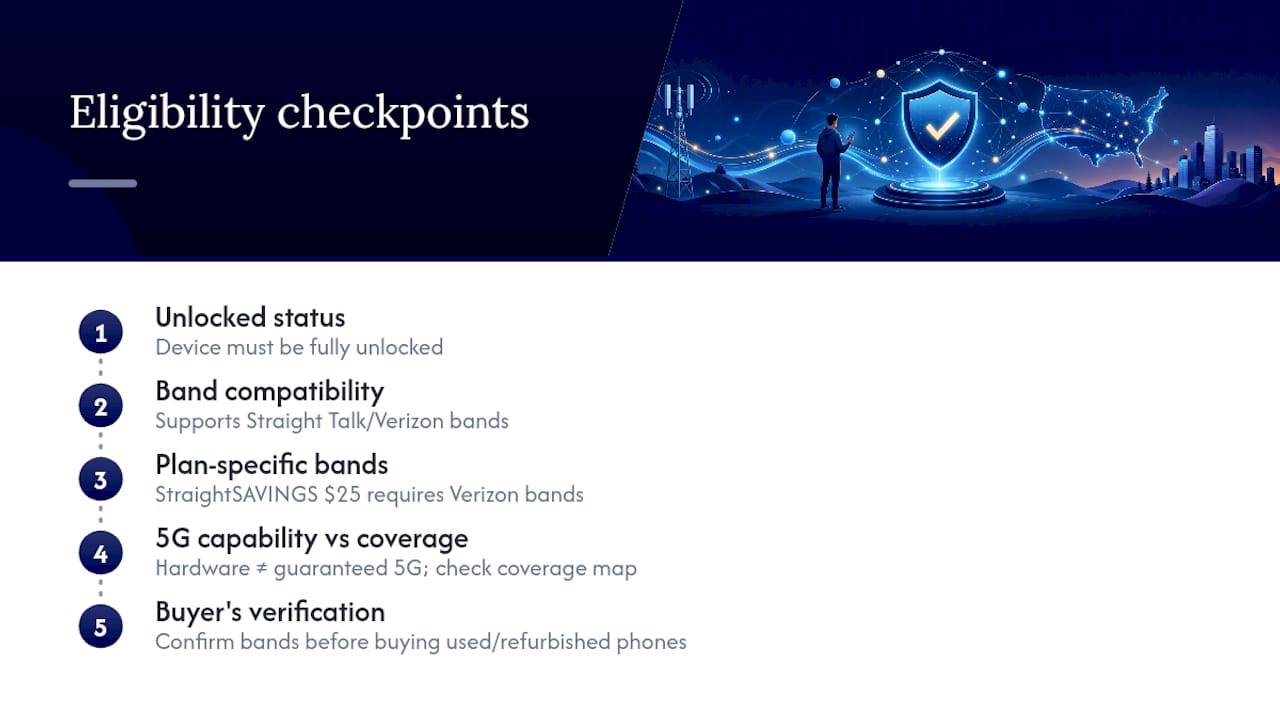
If you’re buying a used or refurbished unlocked phone, verify band compatibility before you buy, not after. A phone pulled from Verizon’s network years ago may lack the bands Straight Talk relies on in your area, and a device that shows as “unlocked” from a previous carrier doesn’t always mean every network feature transfers cleanly. Roughly a quarter of shoppers assume any unlocked phone automatically qualifies for the cheapest plan available, which is exactly the mistake Straight Talk’s own StraightSAVINGS documentation warns against.
How Do You Activate and Port Your Number?
Activation follows a predictable sequence, and skipping a step is the most common reason people get stuck. Confirm compatibility first, then buy a plan paired with either a SIM kit or eSIM activation, then run through Straight Talk’s activation flow either online or in-store.
- Check compatibility using the IMEI method covered earlier.
- Choose a plan that matches your device’s actual network capability, not just its unlocked status.
- Order a BYOP SIM kit from the Straight Talk site or a Walmart location, or trigger eSIM activation if your device supports it.
- Complete activation and start the number port if you’re keeping your existing number.
Porting deserves its own attention. Your old carrier service has to stay active during the transfer. Porting typically finishes within a few hours but can take several days, though landline number ports tend to run longer. Cancel your old service too early and the port will fail or stall.
Two error messages account for most activation headaches: “IMEI not compatible” and “incompatible SIM card number.” The first usually means the device genuinely doesn’t qualify or the IMEI was typed wrong. The second often traces back to a mismatched SIM kit size or a card that wasn’t fully activated on Straight Talk’s end. Straight Talk support can resolve most of these within a single call if the basic checks don’t fix it.
Pro Tip: Order your SIM kit before you cancel service with your old carrier. That way you’re never without a working phone during the switch.
Why a Verified Unlocked Refurbished Phone Lowers Your Activation Risk
The biggest source of Straight Talk activation headaches isn’t the network. It’s the phone. A device that’s genuinely unlocked, with confirmed band support and a clean IMEI history, sails through the compatibility checker without drama. A device with a hidden carrier lock or missing bands does not, and you often don’t find out until you’re already mid activation.
That’s the real argument for buying a device that’s been inspected and verified as unlocked before it ever reaches you, rather than gambling on a listing that simply says “unlocked” with no proof behind it. Refurbished phones also make financial and environmental sense for anyone switching services on a budget: lower upfront cost, and one less device headed to a landfill.
Before buying any used phone for Straight Talk, run through this checklist:
- Confirmed unlocked status, not just a seller’s claim.
- IMEI checked against Straight Talk’s compatibility tool before purchase, if possible.
- A return policy long enough to cover activation problems that surface after the fact.
- Clearly disclosed cosmetic grading so you know exactly what condition you’re buying.
A phone that clears all four checks rarely surprises you at activation.
— Saad
Get an Inspected Unlocked Phone Ready for Straight Talk
Refurbished unlocked phones that have already cleared key checks for switching carriers are available from some sellers, confirming unlocked status and verified functionality. Devices may go through a comprehensive inspection and may include a return window to cover potential compatibility issues with networks like Straight Talk.

That inspection process is exactly what most private listings and marketplace sellers skip, and it’s the difference between a phone that breezes through Straight Talk’s compatibility checker and one that gets flagged for a hidden lock you didn’t know about. Browse current unlocked phones and tablets to find a model in your budget, or check a specific listing like the refurbished iPhone 15 if you already know which device you want. Run the IMEI through Straight Talk’s checker before you buy, and you’ll know exactly what you’re getting before it ships.
Official Resources for Checking Straight Talk Compatibility
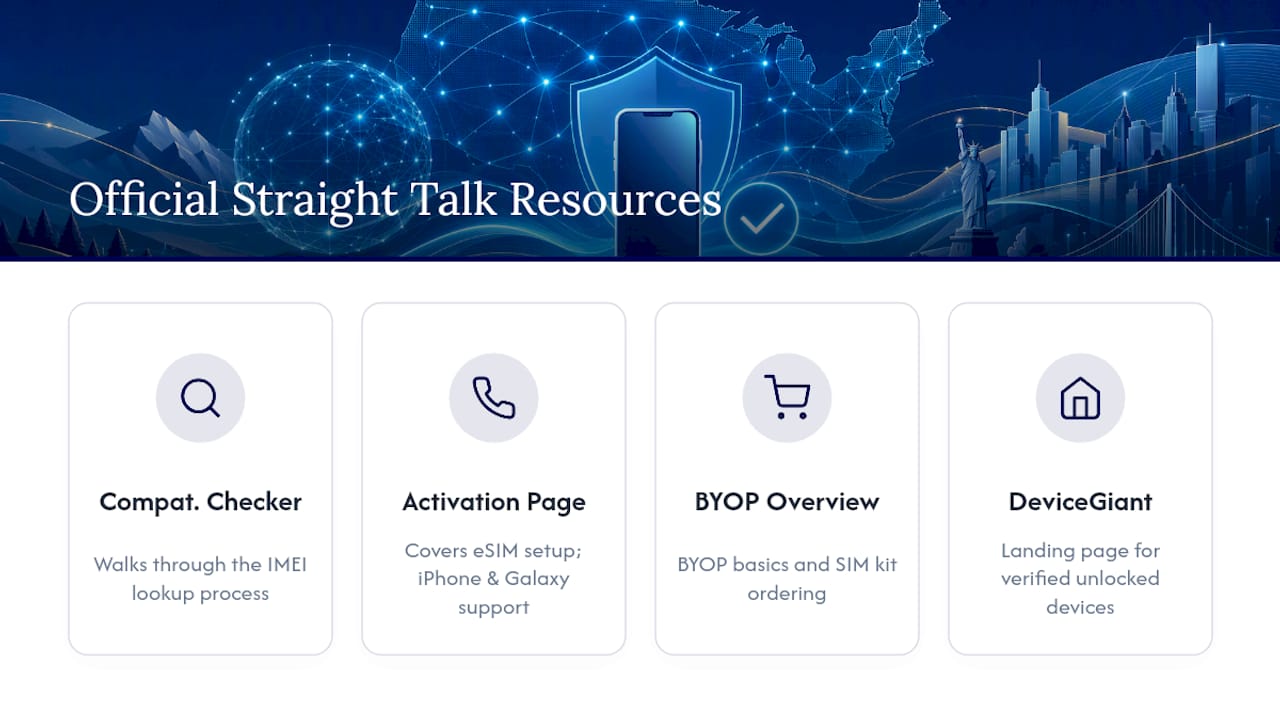
Bookmark these before you start shopping. Straight Talk’s compatibility checker guidance walks through the IMEI lookup process, while the activation page covers eSIM setup and support for newer iPhone and Galaxy models. For BYOP basics and SIM kit ordering, see the official BYOP overview. Devicegiant’s landing page is a solid starting point if you need a verified unlocked device first.
Sources
- Activate Your Device | Straight Talk Wireless
- Straight Talk coverage and 5G availability — BroadbandMap
FAQ
How do I check my phone’s IMEI?
Dial *#06# on any phone and the IMEI displays immediately on screen. You can also find it in Settings > General > About on iPhone, or Settings > About Phone on most Android devices, per Straight Talk’s activation guidance.
Which phones support eSIM on Straight Talk?
Straight Talk currently supports eSIM activation for iPhone 12 through iPhone 16 series, the iPhone SE 3rd generation, and Samsung Galaxy S24 models. Always confirm through the compatibility checker first, since eSIM support can vary by specific carrier version of a device.
How long does porting my number take?
Most number ports complete within a few hours, though the process can take up to seven days in some cases, and landline ports typically run longer. Your old carrier service must stay active the entire time or the port can fail.
Does my phone need to be unlocked for every Straight Talk plan?
Standard BYOP service accepts many unlocked GSM devices, but the StraightSAVINGS $25 plan specifically requires an unlocked phone capable of running on the Verizon network. Check that requirement separately before assuming a phone qualifies for the discounted plan.
Can Devicegiant help me find a phone that works with Straight Talk?
Refurbished unlocked phones are offered by some sellers who verify unlocked status and functionality before shipment. Current prices and available models are listed on the Devicegiant site.


