
Save 15%–50% Only When These 3 Things Line Up for a Refurbished iPad

Yes, a refurbished iPad is worth it when three things line up: a real discount off the current new price, a warranty or return window you can actually use, and confirmation that the battery and Activation Lock have been checked. Miss any one of those three, and you’re gambling instead of shopping. Before you buy, check the serial number and battery health first.
TL;DR:
- A refurbished iPad can be a good deal if it comes with a warranty or return window of at least 14 to 30 days, and the battery and activation lock have been verified.
- Genuine refurbishment involves testing, part replacement, and a factory reset, unlike simple used devices that lack inspection guarantees.
- Discounts typically range from 15% to 50%, with certified refurbished units offering smaller discounts but higher quality assurance.
- Buyers should verify serial numbers through Apple coverage checks and ask for battery health disclosure before purchasing.
- Private sellers offer the steepest discounts but carry the highest risk, so confirmed inspection and warranty are crucial for safer buying options.
Table of Contents
- When a Refurbished iPad Makes Sense (and When It Doesn’t)
- What “Refurbished” Really Means Versus Used and New
- The Pre-Purchase Checklist Every Buyer Should Run
- Where to Buy Safely: Comparing Your Channel Options
- How Long Will a Refurbished iPad Actually Last?
- Doing the Cost Math: What Counts as a Real Deal
- How Device Giant Approaches Certified Refurbishment
- When I’d Buy Refurbished (and When I Wouldn’t)
- Ready to Buy? What to Check on Device Giant’s Listings
- Sources
When a Refurbished iPad Makes Sense (and When It Doesn’t)
A refurbished iPad earns its lower price tag for specific people, not everyone. Students who need something for note-taking and reading assignments don’t need this year’s chip. Budget-conscious buyers replacing a cracked screen or a device that finally died don’t need cutting-edge speed either. Parents buying a second device for a kid, or professionals who want a spare for travel, also sit squarely in the sweet spot.
Where refurbished falls short: anyone doing serious video editing, 3D rendering, or heavy multitasking should lean toward a newer generation, refurbished or not, since older chips cap what’s possible.
Matching model to use case matters more than chasing the lowest price:
- Reading, streaming, browsing: an older base iPad, even several generations back, handles this fine.
- Note-taking, light Photoshop or Procreate work: an iPad Air with Apple Pencil support hits the mark.
- Multitasking, Final Cut Pro, heavier productivity: an iPad Pro with an M-series chip is the floor, not the ceiling.
As a rule of thumb, expect roughly 15% to 30% off new pricing from Apple Certified Refurbished, 25% to 40% from a vetted third-party refurbisher, and steeper discounts from private sellers, but only if you can inspect the device in person first.
What “Refurbished” Really Means Versus Used and New
“Refurbished,” “used,” and “new” get thrown around interchangeably online, and that sloppiness costs buyers money. A genuinely refurbished iPad has gone through a defined process, not just a wipe and a resale listing.
- Testing. The device is checked against a functional checklist covering the screen, buttons, cameras, battery, and connectivity.
- Part replacement. Failed or worn components, most often the battery or screen, get swapped for tested or new parts.
- Data wipe and factory reset. The unit is erased to a clean setup screen with no trace of the previous owner’s account.
A “used” listing skips all of that. It’s simply a device someone else owned, sold as is, with no inspection promise behind it. That’s the core difference between buying refurbished iPad inventory and rolling the dice on a random secondhand listing.
Apple Certified Refurbished units also ship in generic (not retail) packaging but include a fresh battery when needed and stay eligible for AppleCare, a benefit third-party refurbished units typically don’t offer. Cosmetic grading, usually labeled A through D, tells you what to expect visually. Grade A means light wear at most. Grade C or D means visible scratches or scuffs that don’t affect function but will bother you if you’re picky about looks. Understanding what refurbished iPad grades mean before you buy saves you from a surprise unboxing.
The Pre-Purchase Checklist Every Buyer Should Run
Treat this as non-negotiable, regardless of how good the listing photos look or how low the price seems.
- Confirm Activation Lock is off. The iPad should boot straight to the setup screen, not ask for someone else’s Apple ID and password.
- Verify the serial number. Ask the seller for it and run it through Apple’s coverage check to confirm warranty status and ownership history before you pay.
- Ask about battery health. A seller should disclose the battery’s maximum capacity or state that it was replaced during refurbishment.
- Check the warranty and return window. Expect at least 14 to 30 days as a baseline; 90 days or more is a stronger signal of a seller standing behind their work.
- Read the cosmetic grade carefully. Match the grade to how much you actually care about scratches versus performance.
- Confirm accessories and connectivity. Wi-Fi-only and cellular models look identical in photos, so get this in writing.
- Research the seller. Look for a real business address, public reviews, and a stated inspection process, not just a storefront name.
Independent buying guides consistently flag Activation Lock and serial verification as the two checks buyers skip most often, and they’re the two most likely to leave you holding a paperweight.
Pro Tip: Ask the seller directly for a battery health percentage before you buy. If they can’t answer, or won’t, that tells you more about their refurbishment process than any product description will.
Where to Buy Safely: Comparing Your Channel Options
Not all refurbished channels carry the same risk, and the discount you get should track the risk you’re taking on.
- Apple Certified Refurbished: the benchmark for inspection quality and warranty coverage, including a one-year limited warranty and AppleCare eligibility, though stock is limited and discounts run smaller than elsewhere.
- Major retailer renewed programs: solid middle ground, generally with clear return windows, though warranty terms vary more by retailer than Apple’s program does.
- Vetted refurbished marketplaces: look for disclosed grading systems, published return windows commonly between 14 and 90 days, and battery health thresholds stated up front.
- Private sellers: the cheapest option, but only acceptable when you can test the device in person and confirm Activation Lock removal before handing over cash.
Trusted refurbishers and major retail programs meaningfully reduce risk compared to private sales, which stay cheapest but carry the highest chance of hidden faults.
How Long Will a Refurbished iPad Actually Last?
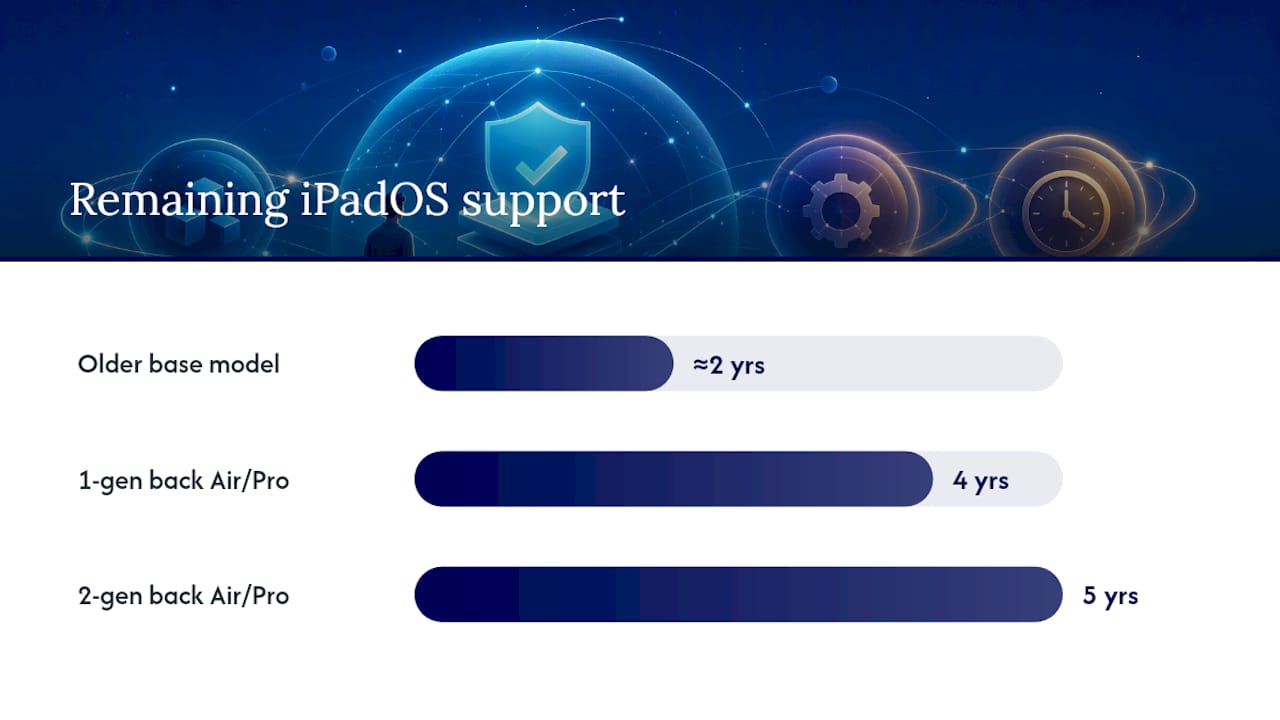
Software support, not just build quality, determines how long your refurbished iPad stays useful. Apple ties iPadOS updates to chip generation, so an older base model might get only a couple more years of major updates while a one or two generation-back iPad Air or Pro could run current software for four or five years.
Battery health is the more immediate limiter. Lithium batteries degrade with charge cycles regardless of how well the rest of the device holds up, which is why battery condition disclosure matters as much as the price tag.
A few habits stretch usable life further:
- Avoid charging or storing the iPad in extreme heat.
- Keep the charge between roughly 20% and 80% for daily use rather than constantly running it to empty.
- Update software promptly to catch security patches, even on older hardware.
If a model’s iPadOS support window is closing soon, a newer refurbished generation, even at a higher price, usually beats a cheaper unit that stops receiving updates within a year.
Doing the Cost Math: What Counts as a Real Deal
Certified and well-graded refurbished iPads typically save 15% to 50% off new pricing, with the exact number depending heavily on the seller and the model’s age. That’s a wide range, and where you land in it matters.
- Apple Certified Refurbished: smallest discounts, highest confidence.
- Vetted third-party refurbishers: larger discounts, still backed by grading and returns.
- Private sales: biggest potential savings, biggest risk of hidden faults.
The current-generation base iPad rarely discounts enough to justify buying it used instead of new. The better play is going back one or two generations. Consumer testing consistently points to iPad Air M1 and M-series iPad Pro models as the value sweet spot, since they pair meaningful savings with several more years of software support.
Factor in accessories, too. A Grade C unit might need a $30 to $50 case to hide cosmetic wear, and a battery that’s already at 80% capacity could mean a replacement cost down the line. Total cost of ownership, not sticker price, is the number that actually matters.
How Device Giant Approaches Certified Refurbishment
Every claim in this guide about warranties, grading, and battery disclosure only matters if the seller actually follows through. That’s where a defined inspection process separates a real refurbisher from someone reselling a wiped device.
A device that’s been checked against a real functional standard, not just powered on and photographed, is the difference between a refurbished purchase and a used-device gamble.
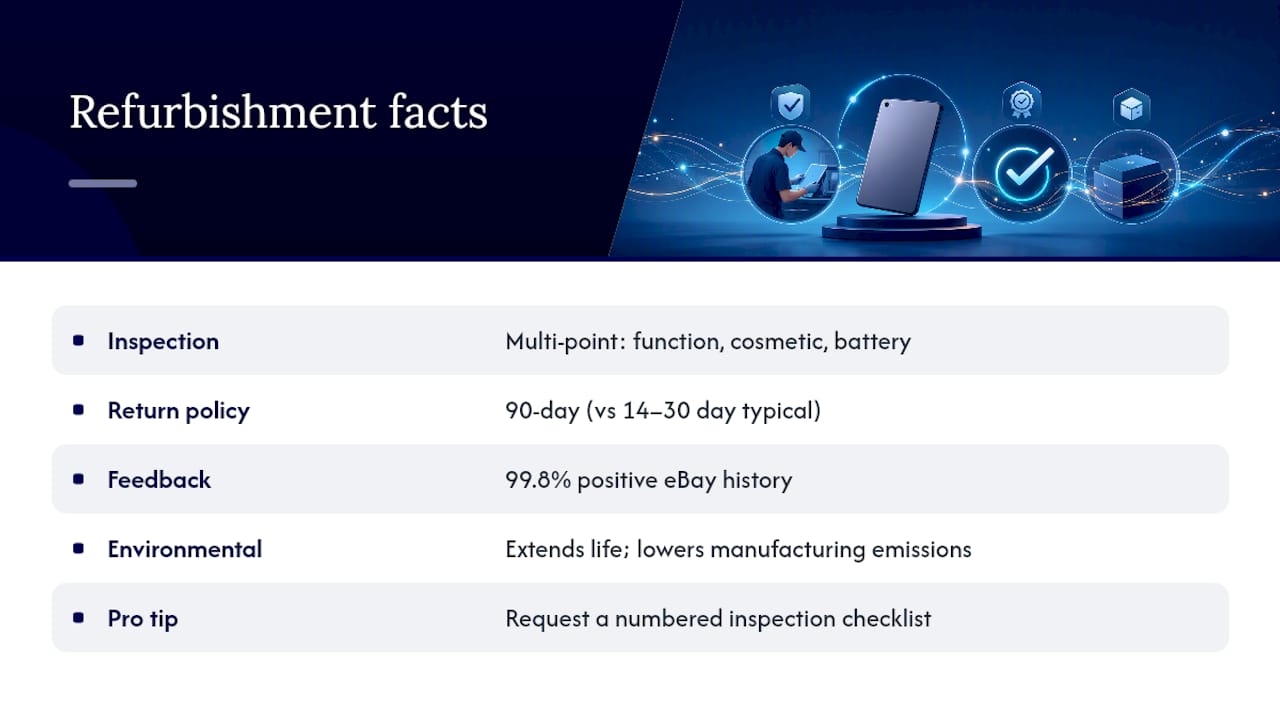
Some certified refurbishers run units through a multi-point inspection covering functionality, cosmetic condition, and battery performance before listing, and back their sales with a 90-day return policy, which is longer than many other sellers’ typical 14 to 30 day windows. That track record shows up in Device Giant’s 99.8% positive feedback history on eBay.
There’s an environmental angle too. Extending a device’s usable life reduces manufacturing emissions compared to producing a new one, so a refurbished purchase isn’t just a budget decision.
Pro Tip: Ask any refurbisher, Device Giant included, exactly what their inspection checklist covers. A vague answer is a red flag; a numbered checklist is a good sign.
When I’d Buy Refurbished (and When I Wouldn’t)
My rubric for any refurbished purchase comes down to four checks, in this order: is the discount real, is there a warranty or return window I can use, has the battery been disclosed or replaced, and is the seller transparent about their process. If all four hold, I buy without hesitation.
That’s backwards. A smaller discount with real protections beats a bigger discount with none, every time. The math only works when the safety net comes with it. Run the checklist first. Let the discount percentage be the last thing you check, not the first.
— Saad
Ready to Buy? What to Check on Device Giant’s Listings
If you’ve run through the checklist above and you’re ready to buy, Device Giant gives you a shortcut past the guesswork of private sales and unverified listings. Many sellers offer devices that have gone through a multi-point inspection and provide a disclosed cosmetic grade and a return window that may extend beyond the 14 to 30 days typical elsewhere.

Before you check out on any listing, confirm three things on the product page: the battery health percentage, the cosmetic grade (A through D), and the return policy terms. Those three data points tell you everything the checklist in this guide asks you to verify.
Browse Device Giant’s refurbished device selection to see current inventory and pricing, and if you’re upgrading a whole household or outfitting a small team, the same inspection standard applies across phones, tablets, and select laptops.
Sources
Before you finalize any purchase, run the serial number through Apple’s coverage check tool to confirm activation and warranty status. For deeper reading on grading standards and return norms, see Device Giant’s guide to refurbished return policies and the broader device lifecycle context at TechVideoBlog’s device archive.
- Everything to know before buying refurbished iPad
- Refurbished iPad 2026: Complete Buying Guide + Prices - Refurbito
- Buy a Used iPad in 2026: Prices, Places & Checks
- Apple coverage check


