
Refurbished Tablet Buying Guide: What to Check Before You Buy

A refurbished tablet is a good buy when four things line up: the seller tested it and says so in writing, the model still gets software updates, the cosmetic condition is described honestly, and you have a real return window. Get those right and you can save a lot over new. Skip them and you are buying a used tablet with a nicer label. This guide walks through each check in the order you should do it.
TL;DR
- Refurbished means a seller tested and, where needed, repaired the unit. Used means sold as it was. Ask which one you are looking at.
- Check software support first. A cheap tablet that stops getting security updates is not a bargain.
- Confirm the device is free of Activation Lock or an account lock, and test battery, screen, ports, cameras and Wi-Fi in the first days.
- Read the warranty and return terms before you pay: days allowed, who pays shipping, any restocking fee.
- Cosmetic grade changes the price, not the function. A scuffed tablet that passed a full functional check is often the best value.
Table of Contents
- What “refurbished” actually means for a tablet
- Step 1: Check software support before anything else
- Step 2: Understand cosmetic grades and what they tell you
- Step 3: Read the warranty and return terms
- Step 4: Verify the device is not locked to someone else
- Step 5: Test the tablet in the first days
- What a refurbished tablet can save you
- Which tablet fits which buyer
- Our view: how we would buy a tablet
- Where to shop with confidence
- Red flags that should stop you
- FAQ
- Sources
What “refurbished” actually means for a tablet
Three labels get mixed up, and the difference matters to your wallet.
Used means the previous owner’s device, sold as is. Nobody necessarily tested it. Manufacturer-refurbished means the maker inspected, repaired and resold it, usually with its own warranty. Seller-refurbished means an independent refurbisher ran its own inspection and repairs, then graded and sold it under its own policy.

The common thread is a documented test. Macworld’s guide to buying refurbished iPads makes the same point: refurbished gives more peace of mind than used because the seller has explicitly tested and repaired the unit.
The difference between the two refurbished types is mostly who stands behind the device and what the paperwork says. We cover that comparison in more depth in our piece on seller-refurbished versus manufacturer-refurbished devices. The short version: manufacturer programs offer the cleanest warranty, while a good independent seller can offer broader model choice, lower prices and a longer return window.
Step 1: Check software support before anything else
Performance and price are easy to compare. Update support is the one that quietly ruins a purchase. A tablet that no longer receives security patches may feel fine today and become a risk to bank apps, email and school logins in a couple of years. Macworld’s advice is simply to check whether an older model is still supported by software, since older devices may be less safe to use in a few years.
Here is how to do that in practice:
- Find the exact model. Not “iPad 10.2-inch” but the generation, or for Galaxy Tab the full model name and storage size. Listings that hide the generation are a warning sign.
- Look up the current OS version for that model. For iPads, the iPadOS 26 release dropped support for only one entry-level line, the 7th-generation iPad, though some features such as Apple Intelligence are limited to newer hardware. If the tablet you are eyeing is older than that, expect it to fall off the supported list soon.
- For Android tablets, check the maker’s update policy for that model on its support site. Android tablets vary a lot more than iPads. Budget models may have received only a couple of years of patches from launch.
- Decide how long you need it. A kitchen recipe screen or a kid’s video tablet can live with an older OS. A work tablet that handles sensitive accounts should not.
A sensible rule: pick the newest generation that fits your budget rather than the cheapest one. The extra $40 to $60 often buys you two more years of updates.
Step 2: Understand cosmetic grades and what they tell you
Sellers grade appearance because refurbished units arrive with different amounts of wear. Grade names are not standardized across the industry, so a “Good” at one store can be an “Excellent” at another. What you want is a seller that defines each grade in plain words and shows photos of the actual unit.
On our site, cosmetic grades run from A to D, with refurbished variants, and every unit is graded individually. Grade tells you about scratches and scuffs. It does not tell you about function. Those are separate questions:
| Question | What answers it |
|---|---|
| Does the screen look pristine? | Cosmetic grade and photos |
| Does the touchscreen respond everywhere? | Functional inspection |
| Does the battery hold a useful charge? | Functional inspection, plus your own test |
| Do speakers, cameras, ports and Wi-Fi work? | Functional inspection |
If you are buying a tablet for a child, a garage workbench or a car mount, a lower cosmetic grade is a smart way to save. If you will carry it daily in a bag and want it to look good, a higher grade or a case and screen protector gets you there for less than paying the top grade premium.
The FTC’s marketplace guidance backs up the habit of looking closely: it advises checking photos of the actual item rather than stock images and reading the condition description. If a refurbished listing shows only manufacturer renders, ask for real photos or move on.
Step 3: Read the warranty and return terms
This is where refurbished purchases are won or lost. The FTC’s consumer advice says to check the seller’s return policy, including who pays return shipping, how many days you have, and whether there are restocking fees, and to read the product description and the refurbished-condition fine print.
Warranties get their own guidance. The FTC explains that warranty terms must be available before you buy, and that you should look at duration, covered parts and repairs, the remedy, the claims process and who pays shipping for repairs. Save the warranty and your receipt.
Use this short list when comparing sellers:
- Return window in days. Short windows rush you. Tablets need a few days of real use to expose battery drain, Wi-Fi dropouts or a flaky touch zone.
- Return shipping. Free return labels versus “customer pays” can be a $10 to $20 difference on a $150 tablet.
- Restocking fees. Some sellers deduct a percentage. Ask before you buy.
- Warranty length and what it excludes. Batteries and accidental damage are often carved out.
- What is in the box. Many refurbished tablets ship with a generic cable and sometimes no charger. Confirm what you will receive.
Our policy is a 90-day return window, which is longer than most sellers offer. That gives you a full billing cycle to find any problem. For a broader checklist built around warranty questions, see our warranty-first buying guide. The same logic applies to tablets.
Step 4: Verify the device is not locked to someone else
A locked tablet is the one defect you cannot fix yourself. On Apple devices, Activation Lock turns on automatically when the owner enables Find My. If the tablet is erased without turning Find My off, Activation Lock blocks it from being set up again, and a buyer ends up with a device that cannot be used with their own Apple Account.
What to do:
- Ask the seller in writing whether the device is removed from the previous owner’s account and free of Activation Lock. Reputable refurbishers wipe and verify every unit before listing.
- On arrival, power it on and run setup. A tablet that asks for the previous owner’s Apple Account, or shows a lock screen asking for an email, is locked. Stop and contact the seller the same day. Do not try to work around it.
- Android tablets have a similar protection, called Factory Reset Protection, which asks for the last Google account after a reset. The same rule applies: if setup asks for an account that is not yours, return it.
- Check for carrier locks if it is a cellular model. If you want to use any SIM, buy an unlocked unit. Carrier-specific units are fine if you are staying on that network and the listing says so.
- Never accept a tablet with the owner’s account still signed in and a promise to “remove it later.”
If you are buying from a private seller on a marketplace, ask them to erase the tablet in front of you or on a video call, so you see the sign-out happen. This is a big reason many buyers prefer a seller that handles the checks for them.
Step 5: Test the tablet in the first days
Even with a good seller, run your own test as soon as the box arrives. Do it within the first few days so any problem falls well inside the return window. Here is a thorough, practical routine that takes about 20 minutes.
Screen and touch
- Open a plain white image, then black, red, green and blue full-screen images. Look for dead pixels, yellow tints, burn-in shadows or uneven backlight.
- Drag your finger or a stylus slowly across the full screen, then along the edges, in a drawing app. Gaps or jumping lines point to dead touch zones.
- Check corners for lifting, which can mean a swollen battery.
Battery
- Charge to 100 percent, unplug, and watch video on moderate brightness for an hour. A drop of more than about 15 to 20 percent is worth a question to the seller.
- Leave it idle overnight. Large drain with Wi-Fi on and no apps open suggests a tired battery or a software problem.
- Where the system shows a battery health figure, treat it as one data point, not the verdict. Real-world hours matter more.
Charging port and buttons
Google’s own support page for the Pixel Tablet tells you to inspect the USB-C port for debris, looseness, burning, melting or corrosion, and to test charging with a working adapter of at least 15 W that supports 15 W USB Power Delivery. That advice carries over to most USB-C tablets: use a known-good cable and charger when testing, so a bad accessory does not get blamed on the tablet, or the other way around.

Press every physical button. Volume, power and any home button should click cleanly and respond every time. Wiggle the cable gently: a port that charges only at certain angles is worn.
Cameras, speakers and microphone
- Take photos with the front and rear cameras, zoom in, and check for smudges, dust spots or blur that does not clear after wiping the lens.
- Record a short video and a voice memo, then play them back at several volume levels. Listen for crackling or distortion.
- Join a video call to test camera, speakers and microphone together.
Wi-Fi, Bluetooth and sensors
- Connect to your home Wi-Fi and stream for 10 minutes. Try a hotspot from your phone to rule out your router.
- Pair a Bluetooth headset or keyboard.
- Rotate the tablet to confirm auto-rotate works, and test any fingerprint or face unlock.
If anything fails, photograph or film it, contact the seller, and start the return or exchange while you are still well inside the window. Our refurbished checklist covers the same style of 5 to 10 minute check for phones, including IMEI and battery checks that matter on cellular tablets too.
What a refurbished tablet can save you
As a rule of thumb, refurbished devices come in well below new, and our listings run up to 70 percent less than new. The amount depends on age, storage, cellular versus Wi-Fi, and cosmetic grade.
Tablets lose value fast, which is exactly why refurbished is attractive. A Federal Reserve FEDS Notes analysis found that tablet resale prices decline with model age, with an adjusted depreciation rate of about 27 percent per year. The study covers 2010 to 2014 data, so treat the exact figure as a pattern, not a forecast. The practical takeaway still holds: the first owner pays the steepest part of the drop, and you get the device after it.
Factors that move the price:
- Generation. One generation back is often the sweet spot for price and support.
- Storage. Doubling storage can add a lot. Be honest about whether you stream and cloud-sync or store large files.
- Cellular. Wi-Fi-only models are cheaper and are enough for most home use.
- Accessories. Pen or keyboard support adds cost. Check whether the pen is included.
- Grade. A lower cosmetic grade of the same model can cut the price noticeably with no change in function.
Which tablet fits which buyer
| If you need | Look for | Watch out for |
|---|---|---|
| A family couch tablet | Wi-Fi model, 64 GB, a one-generation-old iPad or Galaxy Tab | Very old OS versions |
| Note-taking or drawing | A model with stylus support, pen included or priced separately | Pen compatibility by generation |
| Kids or classroom use | A lower cosmetic grade plus a rugged case | Parental controls available on that OS version |
| Small business point of sale | Unlocked, 10-inch or larger, a matching charger per unit | Long-term app and update support |
| Travel and reading | Light model, good battery, optional cellular | Battery health on older units |
If you are choosing between brands, iPads tend to have longer, more predictable update lifetimes, while Android tablets offer more variety and lower entry prices. You can browse both in our refurbished tablets collection, including refurbished Samsung Galaxy tablets.
Our view: how we would buy a tablet
We inspect and grade refurbished devices every day, so here is what we would tell a friend.
First, pay for function, not for polish. A tablet that passes a full functional check and has some light scuffs will serve you just as well as a flawless one, and often costs far less. That is why we run every device through our TrueGrade 25-point inspection and then grade cosmetics separately and individually, so you can choose the trade-off yourself.
Second, a return window is a feature. Problems like battery drain and intermittent Wi-Fi do not always show up in an hour. A 90-day window lets you live with the tablet. Choose a seller whose policy is in writing and easy to find.
Third, buy the newest generation you can comfortably afford. The cheapest tablet is rarely the cheapest over three years if it loses updates in one.
Fourth, reuse is the greenest purchase. The EPA notes that reusing products and recycling materials avoids the need to extract new raw materials. A tablet that gets a second owner is one fewer to manufacture and one fewer heading to landfill. The EPA also points out that electronics refurbishers are one of several kinds of businesses in the broader reuse and recycling sector, so it is fair to ask a seller exactly what they do with a device before and after sale.
— Saad
Where to shop with confidence
If you are ready to compare real listings, our refurbished tablets collection lists iPad and Galaxy Tab models, each with a TrueGrade 25-point functional inspection, a disclosed cosmetic grade and a 90-day return policy. We also offer unlocked and carrier-specific options, and wholesale lots for repair shops and resellers.
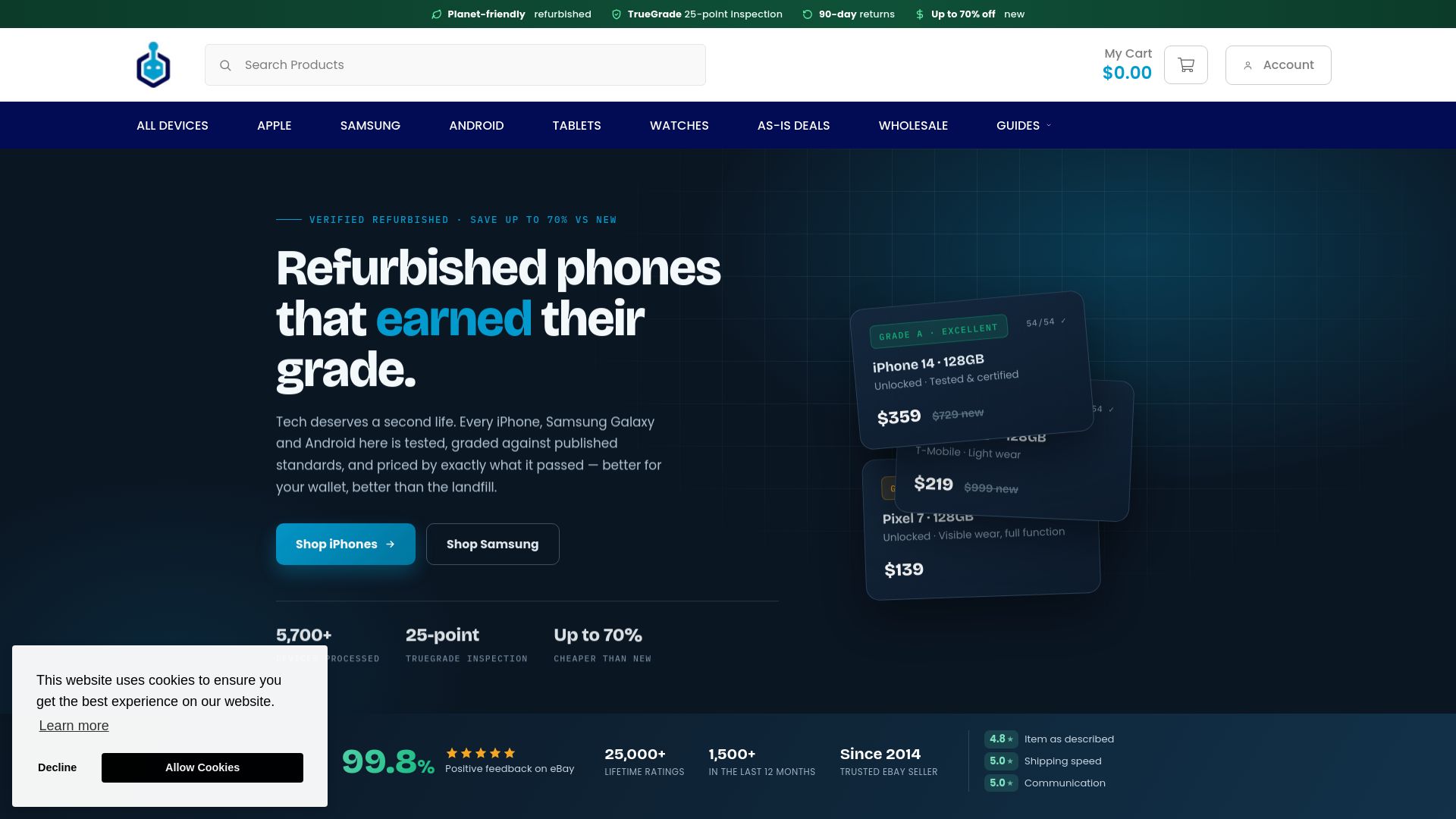
Buying several for a team, classroom or resale? Visit the Device Giant home page and open the Wholesale & Bulk category to get started. For help comparing sellers of any kind, our guide to buying refurbished electronics online without getting burned goes through the common traps.
Red flags that should stop you
- Stock photos only, with no mention of condition or grade.
- No stated return window, or a window under a week.
- Vague wording such as “fully functional” with no description of what was tested.
- A price far below every comparable listing.
- A seller who will not confirm the tablet is free of any account lock.
- Refusal to answer questions about what is in the box.
- Payment only by wire transfer or gift card. The FTC’s guidance recommends using a safe payment method, such as a credit card, which gives you dispute options.
FAQ
Is a refurbished tablet as reliable as a new one?
A properly refurbished tablet that passed a functional inspection can work as well as a new one for everyday use. The difference is in age: the battery and ports have had use, and the model may have fewer years of updates left. That is why the return window, warranty and software support matter more than the word “refurbished.”
How long should the return window be?
Longer is better, and 30 days is a common baseline for tablets. Battery drain, Wi-Fi dropouts and touch glitches can take days to appear. Our window is 90 days, which gives you time to use the tablet normally before you commit.
Should I buy an iPad or an Android tablet refurbished?
If you want the longest and most predictable software support, an iPad is usually the safer pick. If you want a lower entry price or more variety, a Galaxy Tab or another Android model can be great, as long as you confirm the update status for that specific model. Either way, buy one generation back, not three.
What should I do if my refurbished tablet asks for someone else’s account at setup?
Stop and contact the seller the same day. It means the device is still tied to the previous owner’s Apple Account or Google account. Do not try to bypass it, and request a replacement or refund under the return policy.
Does a refurbished tablet come with a charger?
Not always. Some come with a cable only, or a generic charger. Check the listing for what is in the box, and if it is not stated, ask before you order. Using a correct, known-good charger also helps you test the tablet properly.
Sources
- Macworld: Best place to buy a refurbished iPad
- EveryMac: iPadOS 26 supported devices
- FTC: Buying From an Online Marketplace
- FTC: Online Shopping
- FTC: Warranties
- iDownloadBlog: How to check Activation Lock
- Google: Fix a Pixel Tablet that won’t charge or turn on
- Federal Reserve: Prices and depreciation in the market for tablet computers
- EPA: Moving Sustainable Electronics Forward
- EPA: Broad Overview of E-Waste Management Policies in the U.S.


