
5 Safety Checks Before You Buy a Refurbished Phone for Your Child

Choose a certified refurbished mid-range phone with strong battery health and parental controls enabled. That combination gives kids a reliable device and gives parents the safety net they actually need, at a fraction of retail price. Below, you’ll find picks by age and budget, plus a practical checklist.
TL;DR:
- Refurbished phones should have battery health above 85 percent to ensure sufficient screen time and avoid frequent replacements within a year.
- Buying unlocked refurbished devices provides flexibility to switch carriers and plans without needing a new phone, reducing long-term costs.
- Prior to purchase, verify the device’s warranty, battery health, cosmetic grade, and that it is carrier-unlocked to ensure quality and longevity.
- Factory resetting and updating the OS are essential steps before handing a refurbished device to a child to remove residual data and secure the system.
- Parental controls should be set up on the device before usage, with options like app limits, content restrictions, location sharing, and messaging controls configured accordingly.
Table of Contents
- Best Refurbished Phones for Kids by Age and Budget
- What Should You Check Before Buying a Used Phone for a Child?
- How Do You Set Up Parental Controls on a Kid’s Phone?
- Buying Checklist: How to Choose a Trustworthy Refurbished Seller
- How Do You Secure a Refurbished Phone Before Giving It to a Child?
- Why Refurbished Makes Sense for a Kid’s First Phone
- Where to Buy a Certified Refurbished Phone for Your Child
- Sources
- FAQ
Best Refurbished Phones for Kids by Age and Budget
The right device depends less on brand and more on what a specific age group actually needs. A 10-year-old doesn’t need the same phone as a 16-year-old, and buying beyond what a child will use just wastes money.
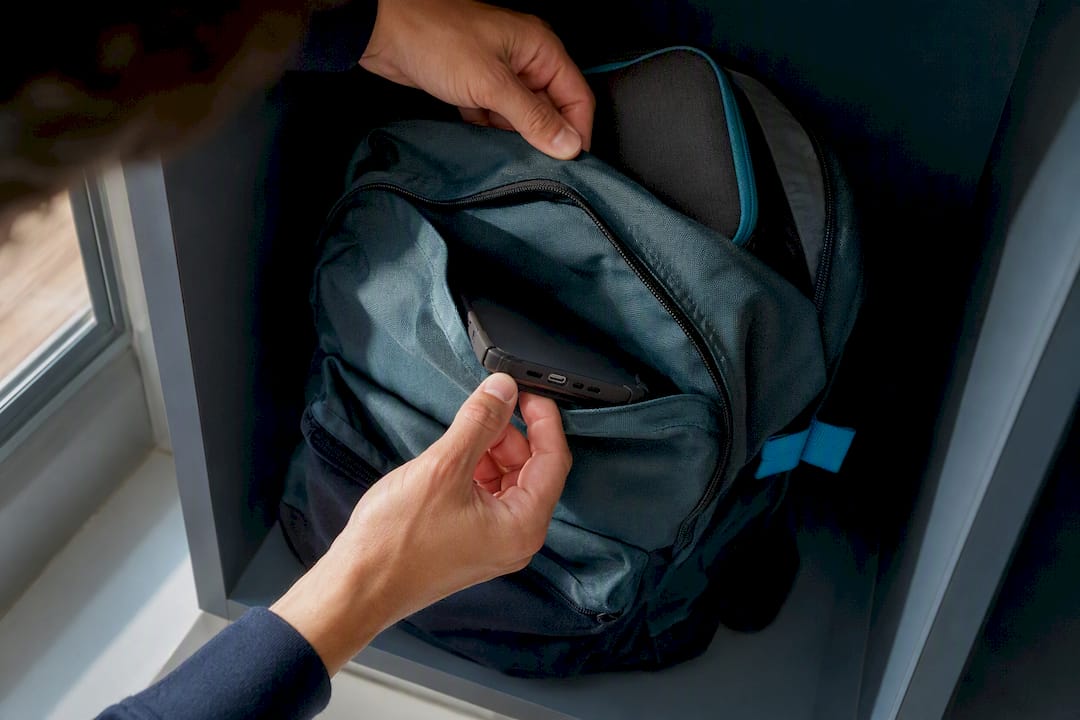
Ages 9 to 12: durability over features. At this age, phones get dropped, left in backpacks, and handed to friends. Look for compact, budget refurbished models with solid build quality and basic parental-control compatibility. Expect to spend a moderate amount for a refurbished entry-level Android device or an older iPhone model (think iPhone SE-class hardware). A phone like the LG Premier makes sense here as a true starter device, since it keeps the investment low while a child proves they can handle responsibility.
Ages 12 to 14: balance battery life with control granularity. Tweens use apps more heavily, so battery capacity and screen-time granularity matter more than raw power. Refurbished mid-range Android phones or a slightly older iPhone (two to three generations back) typically cost moderately and still receive several years of security patches. This is the sweet spot where parental-control apps offer the most detailed settings, since manufacturers tend to build their best restriction tools into recent OS versions.
Ages 15 and up: software longevity matters most. Teens use phones for schoolwork, driving apps, and eventually part-time jobs, so a device needs years of runway left. A refurbished flagship from one or two years back, like a Samsung Galaxy S22, often costs moderately and still qualifies for multiple years of OS updates. That extended support window also protects resale value if your teen upgrades again down the line.
A few cross-cutting notes apply to every tier:
- Unlocked refurbished phones give you the freedom to switch to a cheaper MVNO plan later without buying a new device.
- Parental controls are roughly equivalent between iOS and Android now, so platform choice should follow your family’s existing ecosystem rather than a controls gap.
- Older flagship phones (two to three years old) frequently outperform brand-new budget phones on camera quality and processing speed, for less money.
What Should You Check Before Buying a Used Phone for a Child?
A refurbished phone is only as good as its inspection. Before you buy, run through this checklist:
- Battery health above 85%. Anything lower means noticeably shorter screen time and a battery that will likely need replacement within a year. Reputable refurbishers document this number; if a listing doesn’t mention it, ask directly.
- OS and security update support. Manufacturers typically commit to three to seven years of security patches depending on the model and release year. A phone already near the end of that window is a phone you’ll be replacing again soon, and that matters for safety since unpatched phones are more vulnerable to malicious apps.
- Cosmetic grade. Grade A means light wear at most; Grade B has visible scuffs but full function. For a kid’s first phone, Grade B paired with a case and screen protector is usually the smarter financial move than paying extra for cosmetic perfection that won’t survive the first month anyway.
- Carrier lock status. Unlocked devices work across carriers and let you shop for the cheapest plan, while carrier-locked phones tie you to one provider.
- Price against age of the model. A three-year-old flagship and a brand-new budget phone often cost the same. The flagship usually wins on camera, speed, and build quality, but check its remaining update window first.
Pro Tip: Ask the seller for the exact battery-health percentage in writing before purchase; refurbishers who won’t provide it, or who only replace batteries “as needed,” are a red flag worth walking away from. Consumer Reports notes that reputable refurbishers replace batteries and back devices with at least a 90-day warranty, with a full year being the stronger guarantee.
How Do You Set Up Parental Controls on a Kid’s Phone?
Apple Screen Time and Google Family Link are the two built-in tools, and both cover the essentials: app time limits, content restrictions by age rating, communication limits (who can call or text), and location sharing. Full feature access usually requires a reasonably current OS version, so check that your refurbished phone can update before relying on every feature.
Enable these before you hand over the phone:
- App Store or Play Store purchase approval requiring a parent’s password
- Content filters set to the child’s age rating, not a default “teen” setting
- Screen time limits and downtime hours (school nights especially)
- Location sharing turned on, with the child aware it’s active
- Contact and messaging restrictions if the child is under 13
Third-party monitoring apps can add detail, like message content review, but they require deeper account access and come with their own privacy trade-offs, according to Common Sense Media. Built-in tools are usually enough for most families starting out.
Buying Checklist: How to Choose a Trustworthy Refurbished Seller
Not every refurbished listing comes from a seller who actually inspected the device. Look for these markers before you commit:
- A documented, numbered inspection process (not just “tested and working”) with battery health explicitly reported
- A minimum 90-day warranty, with one year considered the stronger standard among certified refurbishers
- A clear return window, and payment through a credit card rather than a wire transfer or gift card, for added dispute protection
- Cosmetic grading spelled out (Grade A, B, C) rather than vague terms like “good condition”
Certified refurbishing programs tend to replace batteries and shells as standard practice, while unverified third-party sellers vary widely in quality. That’s the gap a documented process closes: you know exactly what was checked, not just that “it works.” A Grade B phone with a full battery-health disclosure and a case on day one is almost always the better buy over a cosmetically perfect Grade A phone with no battery data at all.
How Do You Secure a Refurbished Phone Before Giving It to a Child?
Never hand a refurbished phone to a child straight out of the box, even from a trusted seller. For detailed behavioral signs parents should consider before this step, see this ADHD signs & symptoms in children checklist.
- Factory reset the device, even if the seller claims it’s already been done. Hidden accounts or leftover permissions can survive an incomplete reset.
- Update to the latest OS before adding any accounts or apps.
- Verify battery health and IMEI, and test charging, cameras, and buttons in the first hour.
- Turn off unnecessary permissions, restrict location sharing to what you’ve agreed on, and require approval for new app installs and any payment method.
- Sit down together and agree on ground rules, then put a recurring reminder on your own calendar to review settings every few months as your child gets older.
Pro Tip: A factory reset paired with a manual permissions check catches what automated “certified pre-owned” processing sometimes misses, according to Bitdefender’s guidance on securing pre-owned devices.
Why Refurbished Makes Sense for a Kid’s First Phone
Every phone from certified refurbishers should pass a multi-point inspection and carry a return window, so the checklist above isn’t theoretical. It’s how reliable refurbishing operations work. Buying refurbished also keeps a working device out of a landfill, which matters if you’re trying to teach a kid that “new” isn’t always “better.” Run any listing you’re considering through the criteria in this guide before you buy.
— Saad
Where to Buy a Certified Refurbished Phone for Your Child
Some sellers offer inspected, warrantied devices like this guide recommends, so you don’t have to chase down battery-health numbers or hope a stranger’s listing is honest. Reliable refurbishers pass phones through multi-point inspections covering battery, cosmetic grade, and function, and often come with a 90-day return policy if something isn’t right.

For a first phone on a tight budget, the LG Premier starts at $23, a genuinely low-risk way to test whether your child is ready for phone responsibility. For a teen who needs more staying power, the Samsung Galaxy S22 offers years of update support and flagship-level performance at a refurbished price. Browse the full refurbished phone lineup filtered by price and condition, and check the warranty coverage details before you check out.
Sources
- Should you buy a refurbished phone? | Consumer Reports
- Parents’ ultimate guide to parental controls | Common Sense Media
FAQ
What Is the Best Starter Phone for a Child?
A certified refurbished mid-range Android phone or an older iPhone model gives most kids ages 9 to 12 enough function without excess risk or cost.
Who Sells the Best Refurbished Phones?
Look for sellers with a documented multi-point inspection, disclosed battery health, and at least a 90-day warranty, protections Devicegiant also includes.
What Is the Best Phone for a 10-Year-Old Kid?
A durable, budget refurbished Android phone with parental controls preinstalled works best at this age, since younger kids drop phones more often and don’t yet need heavy app support.
What Is the Safest Phone for a 12-Year-Old?
Some researchers point to age 13 as a conservative baseline for full smartphone ownership, though individual readiness varies by child.


