
25 Point Check: Kid Ready Refurbished Phones for Kids by Age & Budget

Refurbished phones are often the smartest first-phone choice for kids, as long as you match the model to your child’s age and lock down parental controls before handing it over. A verified refurbisher matters here: Device Giant runs every unit through a TrueGrade 25-point inspection and backs it with a 90-day return window, so you’re not gambling on a stranger’s used phone. The picks below break down by age, budget, and what to check before you buy.
TL;DR:
- Refurbished phones from verified refurbishers undergo comprehensive inspections and include documented reports on functionality and condition.
- For children aged 8 to 11, budget-friendly older models with good cosmetic grades suit their basic communication needs and frequent drops.
- Phones chosen for ages 12 to 14 should have at least 3 to 4 years of OS support and durable features like built-in screen protectors.
- The best devices for older teens should be unlocked and capable of handling navigation, payment, and video calls for several more years.
- Parental control setup before distribution and thorough testing upon arrival are essential to ensure safety and proper usage.
Table of Contents
- What Refurbished Phones Work Best for Kids by Age?
- What Should Parents Check on a Refurbished Phone?
- How Do You Set Up Parental Controls on a Kid’s Phone?
- Buying and Warranty Checklist for a Refurbished Kid’s Phone
- Why Buying From a Verified Refurbisher Matters
- Choosing Maturity Over a Magic Age
- Get a Verified Refurbished Phone Without the Guesswork
- Where to Learn More
- Sources
- FAQ
What Refurbished Phones Work Best for Kids by Age?
Age matters less than what your kid actually needs to do with the phone. An 8-year-old texting grandma has different requirements than a 15-year-old juggling group chats, school apps, and a part-time job schedule.
Ages 8 to 11: communication first, apps second
Kids in this range rarely need a flagship device. A refurbished iPhone SE or an older Galaxy A-series phone covers texting, calling, and light photo use without tempting them into heavy app or social media use. Look for a device graded “good” or “excellent” cosmetic condition rather than top-tier, since younger kids drop phones more often and a scratched screen protector matters more than a pristine back panel.
Expect to pay a moderate price for these models refurbished, versus significantly more for new ones.
Ages 12 to 14: durability and OS longevity
Middle schoolers put phones through real abuse: backpacks, lockers, gym bags. A refurbished iPhone 13 or a Samsung Galaxy S21 hits the sweet spot here, since both still receive several more years of security updates and handle school apps, streaming, and basic gaming without lag.
- Budget range: a moderate price for a graded refurbished unit.
- Prioritize models with at least 3 to 4 more years of expected OS support.
- A case with a built in screen protector is worth the extra $15, given how often this age group cracks screens.
Ages 15 and up: closer to an adult phone experience
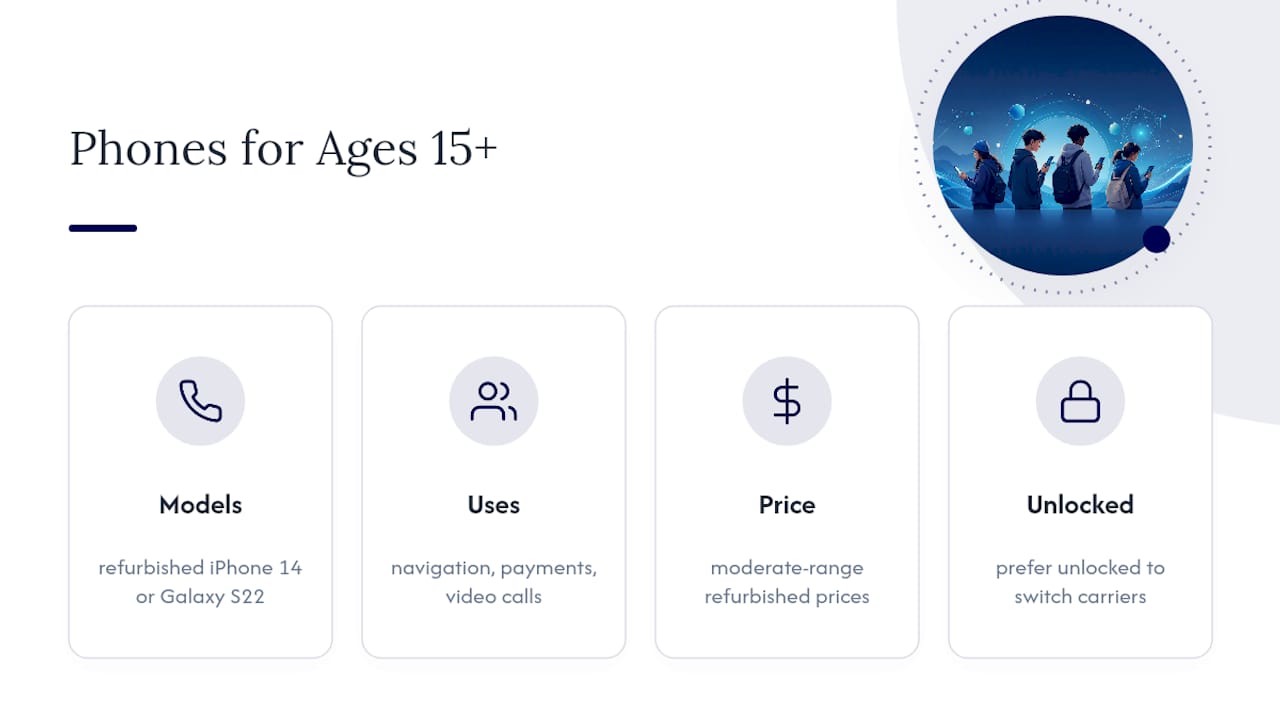
Teens heading toward driving age or part-time jobs benefit from a more capable device, something like a refurbished iPhone 14 or Galaxy S22, which handles navigation apps, payment apps, and video calls comfortably. You can browse unlocked refurbished picks built for this stage if you want a phone that will still feel current in two or three years.
Prices for this tier are generally in a moderate range for refurbished devices. At this age, unlocked status matters even more, since teens often want to keep the same phone across different carriers as their plans (or yours) change.
What Should Parents Check on a Refurbished Phone?
A refurbished phone is only as good as the inspection behind it. Before you buy anything, check these five things.
- Battery health percentage. Reputable sellers report this number directly; anything below 80% means you’ll likely be charging the phone mid-afternoon within a year.
- OS support window. A phone that stops getting security patches next year is a bad deal at any price. Aim for a model Apple or Google will support for at least three more years.
- Cosmetic grade versus function. A “fair” grade phone with scuffs still works fine for a kid who will scratch it up anyway; function should never be compromised even if the cosmetic grade is lower.
- Unlocked status. An unlocked phone works with any carrier or MVNO, giving you flexibility to shop cheaper family plans later.
- Return window length. A 90-day policy gives you time to discover hidden issues that a week-long trial period would miss.
Pro Tip: Ask the seller directly whether the battery has been replaced during refurbishment. A fresh battery in an older model can make a $150 phone outperform a $250 phone with a tired one.
How Do You Set Up Parental Controls on a Kid’s Phone?
Buying the right device solves half the problem. Locking it down properly solves the rest.

On iPhone, Apple’s Screen Time and Family Sharing tools let you set content and privacy restrictions, approve app downloads before they install, cap daily screen time by app category, and disable in-app purchases entirely. Setup takes about ten minutes the first time you do it.
On Android, Google Family Link does the equivalent job: it lets you approve or block app downloads, set screen time limits, view rough location, and manage a supervised Google account tied to your own.
- Turn on content restrictions before your kid ever touches the phone, not after.
- Set app approval requirements so nothing installs without your say.
- Schedule a screen time cutoff that matches your family’s bedtime routine.
If your child isn’t ready for a full smartphone yet, Common Sense Media recommends starting with a basic phone, a kids’ smartwatch, or a Wi-Fi-only device instead. A device like the Kin Watchdog gives younger kids calling and location sharing without the open internet access a full smartphone brings. A Children’s Hospital of Philadelphia-linked study found that age 13 tends to be a safer milestone for full smartphone access, even though Common Sense Media reports the average first-phone age now sits closer to 11.
Set a recurring check-in, maybe monthly, to revisit screen time limits and app permissions as your kid gets older and earns more trust.
Buying and Warranty Checklist for a Refurbished Kid’s Phone
Treat the purchase like you would a used car: verify before you commit, then verify again when it arrives.
- Ask the seller for the inspection report. A legitimate refurbisher can tell you exactly what was tested, from battery capacity to charging port function.
- Confirm battery replacement history. If the battery wasn’t replaced, ask for the current health percentage in writing.
- Check the IMEI or ESN status. Run it through your carrier or a free IMEI checker to confirm the phone isn’t blacklisted or reported lost.
- Verify the return window before paying. A 90-day policy, like Device Giant’s, gives far more breathing room than the 14 or 30 days many sellers offer.
- Test everything the day it arrives. Battery drain over a few hours, camera in both directions, microphone on a call, and every port with a real cable.
- Photograph any cosmetic issues immediately and register the device with the manufacturer the same week, so warranty claims don’t stall on missing paperwork. You can find more detail on what a refurbished unit should include in the box in this breakdown of battery health and grading standards.
Why Buying From a Verified Refurbisher Matters
A phone that “looks fine” and a phone that’s actually been tested are two different products. That gap is exactly what a structured inspection process closes.
A trustworthy refurbished phone should come with a documented inspection report covering function, not just a cosmetic photo. Ask what was tested, whether the battery was replaced, and what the return window covers before you pay.
Device Giant’s TrueGrade process checks 25 functional points and assigns a disclosed cosmetic grade from A down through D, so you know exactly what condition you’re buying before the box arrives. The 90-day return policy gives parents room to catch problems a kid might not mention right away, like a flaky charging port or a speaker that crackles. Buying refurbished also means one less phone in a landfill, a small but real upside for eco-minded families.
Choosing Maturity Over a Magic Age
There’s no perfect age for a first phone. Watch how your kid handles responsibility now, not what a birthday says.
A refurbished phone lowers the financial stakes while you both learn. Set the controls, agree on rules, and revisit them often.
— Saad
Get a Verified Refurbished Phone Without the Guesswork
Device Giant sells verified refurbished iPhones, Samsung Galaxy phones, Android devices, tablets, and accessories, every unit checked against the TrueGrade 25-point inspection with disclosed cosmetic grading and backed by a 90-day return policy.

Browse graded, age-appropriate options like the Apple iPhone 14 in Purple starting at $204, the Samsung Galaxy A20 Duos for a younger first phone, or a Galaxy Tab A7 Lite if a tablet fits your family better than a phone right now. If you’re not sure which model fits your kid’s age and habits, start browsing the full refurbished device catalog and filter by grade and price before you decide.
Where to Learn More
- AAP guidance on readiness over age
- Common Sense Media on first-phone alternatives
- Apple and Google parental control setup
Sources
- Age limits alone won’t fix smartphone risks, suggests Children’s Hospital of Philadelphia study
- Parents’ ultimate guide to first phones | Common Sense Media
- Appropriate age to introduce a mobile device | AAP
- Set up parental controls on Android with Family Link
FAQ
What is the best starter phone for a child?
For kids ages 8 to 11, a refurbished iPhone SE or an older Galaxy A-series phone covers calling, texting, and light photo use without the pull of heavy app or social use.
What is the best first phone for a child?
There’s no single best model. The right first phone depends on your child’s age, how much independence they’ve earned, and whether they need internet access or just calling and texting.
Is there a phone for kids that can only call parents?
Yes. Basic phones, kids’ smartwatches, and devices like the Kin Watchdog offer calling and location sharing without full internet or app store access, making them a solid interim step before a smartphone.
What is the safest phone for a 12 year old?
A refurbished phone with parental controls fully enabled, such as an iPhone using Screen Time or an Android device using Google Family Link, tends to be safer than any specific model. A study connected to Children’s Hospital of Philadelphia suggests age 13 as a safer general milestone for full smartphone access, but the controls you set up matter more than the age on the box.


