
10 Second IMEI Check Confirms Boost Mobile Compatibility for U.S. BYOD

Most recent unlocked phones can work on Boost Mobile, but “recent” and “unlocked” are doing all the work in that sentence. The only way to know for certain is to run Boost’s IMEI checker before you buy a plan or activate a SIM. If your phone is locked to another carrier or missing the right bands, that check will tell you in seconds, and you’ll need to sort out unlocking or eSIM setup first.
TL;DR:
- Compatibility depends heavily on running Boost’s IMEI checker before purchase or activation to identify carrier locks or missing bands.
- The IMEI check provides a clear yes, no, or processing error response, which can be verified by quickly locating your IMEI on the device settings or dialing *#06#.
- Phones must be unlocked, proven by inserting a SIM from another carrier or confirming “No SIM restrictions” in device settings, to work on Boost Mobile.
- Support for necessary LTE and 5G bands, along with updated software and carrier-specific apps, is essential for reliable network access.
- Buying a pre-verified unlocked device from a trusted seller like DeviceGiant eliminates most compatibility risks and simplifies activation.
Table of Contents
- Check Your Boost Mobile Compatibility With the IMEI Checker
- Confirm Your Phone Is Unlocked Before You Switch
- Bands, 5G, and Software: the Technical Side of Compatibility
- eSIM or Physical SIM: Which Activation Path Applies to You
- Why Compatibility Checks Fail (and How to Fix Each One)
- Your BYOD Activation Checklist
- If You’d Rather Skip the Guesswork, Buy a Pre-Checked Unlocked Phone
- A Practical Note From Someone Who’s Seen the Failure Modes
- Where to Buy a Boost Mobile Compatible Phone Without the Guesswork
- Official Resources for Checking Compatibility
- Sources
- FAQ
Check Your Boost Mobile Compatibility With the IMEI Checker
Boost’s official IMEI compatibility checker lives right on boostmobile.com, and it’s the tool the carrier itself points customers to before they switch. You enter a 15-digit IMEI number, and Boost tells you flatly whether that specific device, tied to that specific IMEI, will work on the network.
Finding your IMEI takes about ten seconds:
- Dial
*#06#on any phone, iPhone or Android, and the number pops up on screen instantly. - On an iPhone, you can also find it under Settings > General > About.
- On Android, check Settings > About Phone, though the exact menu label varies by manufacturer.
Once you submit the number, you’ll get one of three responses:
- “Your device is compatible” — move on to unlocking checks and activation prep.
- “This device is not compatible” — the phone’s hardware or software won’t work on Boost’s network, full stop.
- “Unable to process” — usually means a typo in the IMEI or a temporary system issue, so double-check the digits and try again.
Boost uses the IMEI only to match your device against its network requirements, not to track usage beyond that verification step.
Confirm Your Phone Is Unlocked Before You Switch
A compatible IMEI means nothing if your phone is still locked to another carrier. Boost’s BYOD guidance is explicit that a phone must be unlocked before it can join Boost’s network, so this step isn’t optional.
A few quick ways to check:
- Pop in a SIM from a different carrier. If it connects and makes calls, the phone is unlocked.
- On an iPhone, go to Settings > General > About and look for “Carrier Lock.” It should say “No SIM restrictions” if you’re clear.
- Still unsure? Call your current or former carrier and ask directly for your unlock status.
Most carriers will unlock a device once it’s fully paid off and has been active on their network for a set period, often around 60 days for prepaid phones. When you call, have your account number, device IMEI, and the phone’s serial number ready. Processing typically takes a few days, sometimes less.
Pro Tip: Request unlock confirmation in writing or via email. If Boost’s checker flags an issue later, that confirmation saves you a second round of calls.
Bands, 5G, and Software: the Technical Side of Compatibility
An unlocked phone still needs to speak the same cellular language as Boost’s towers. Boost Mobile runs on network infrastructure that supports specific LTE and 5G bands, and a phone built for a different carrier or a different country may be missing the exact bands it needs to connect reliably.
Here’s how to verify it yourself:
- Look up your phone’s model number on the manufacturer’s spec sheet to see which bands it supports.
- Cross-check that list against Boost’s supported bands using a tool like FrequencyCheck’s Boost Mobile device database, which lists band counts for specific models.
- For a deeper look at 4G versus 5G readiness, this breakdown of cellular band compatibility walks through what actually determines speed and reliability on a given network.
Even a technically compatible phone can misbehave if its software is out of date. Outdated firmware can block carrier profile installation entirely, and Boost’s own activation guidance recommends updating your OS before switching. Some Android devices also need the Boost Config app installed from Google Play to receive the carrier-specific settings that make voice and data actually work, even when the IMEI check comes back clean.
eSIM or Physical SIM: Which Activation Path Applies to You
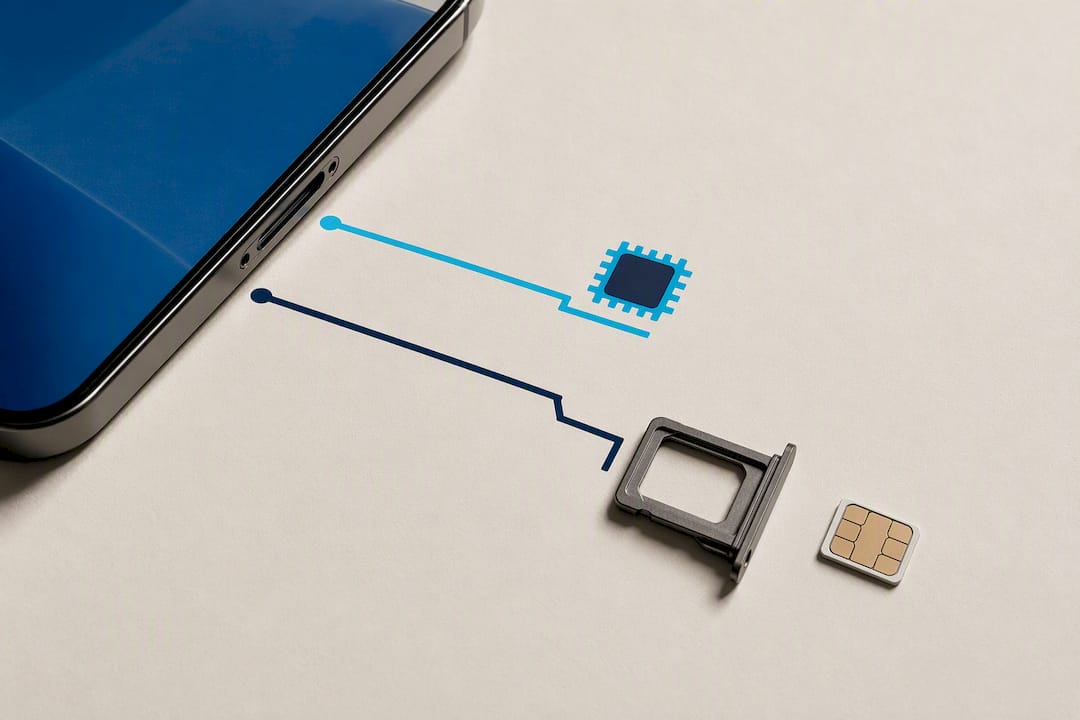
Not every phone supports eSIM, and the two activation paths look different enough that mixing them up causes real delays. Check your phone’s settings or manufacturer specs to confirm eSIM support. On iPhones, this shows up under Settings > Cellular; on Android, Google’s support page walks through where to find it by model.
Once you know which type you have:
- eSIM devices download their profile directly through the Boost app or a QR code Boost provides, no physical card needed.
- Physical SIM devices need the card inserted first, and you’ll enter the SIM’s ICCID number during activation.
- Either way, Boost’s activation prep guide recommends confirming Wi-Fi access for eSIM downloads before you start.
If you’re porting an existing number, keep your old service active until Boost confirms the transfer completed, and have your transfer PIN from your current carrier ready. Canceling early is the single most common way people end up with no working number for a day or two.
Why Compatibility Checks Fail (and How to Fix Each One)
A failed IMEI check almost always traces back to one of five things. Knowing which one applies saves you from buying a new phone you didn’t actually need.
- Locked phone: still tied to another carrier’s network restrictions. Go back to the unlock steps above.
- Missing bands: the hardware simply can’t talk to Boost’s towers on the frequencies it uses. This one has no software fix.
- Blacklisted IMEI: reported lost, stolen, or tied to unpaid financing. Boost’s checker will flag this, and it’s worth running that same IMEI through a repair professional’s diagnostic tools if you bought the phone secondhand and want a second opinion.
- Outdated software: update the OS fully before retrying activation.
- Missing provisioning app: install Boost Config if your Android device requires it, then retry.
If you’ve worked through all five and the phone still fails, contact Boost Care directly with the IMEI, device model, and a screenshot of the checker result. That combination gets you past the first-tier troubleshooting script faster.
Your BYOD Activation Checklist
Getting everything lined up before you call or start the online activation avoids the most common delays.
- Confirm your IMEI passed Boost’s compatibility check.
- Have your Boost account number and a valid transfer PIN from your old carrier ready if you’re porting a number.
- If you have a physical SIM, locate its ICCID printed on the card packaging.
- Back up your phone, install the latest OS update, and remove old carrier profiles from Settings.
- If prompted, install the Boost Config app before attempting activation.
Unlocking typically finishes within a few business days once requested, and number porting usually completes within a few hours to a full day.
Pro Tip: Do the software update and backup the night before you plan to activate. A mid-update device with no signal is a rough way to start your morning.
If You’d Rather Skip the Guesswork, Buy a Pre-Checked Unlocked Phone
Verifying IMEI status, unlock status, and band support on a used phone you’re eyeing takes real effort, and it’s easy to get one of those wrong. Devicegiant runs every device through a TrueGrade 25-point inspection covering functionality and unlock status before it’s ever listed, backed by a 90-day return window if something still doesn’t check out.
Buying a device that’s already confirmed unlocked removes the single biggest cause of failed activations before you even open the box. That’s the appeal of a verified refurbished phone: someone already ran the checks you’d otherwise be running yourself.
- Every listing discloses cosmetic grade and functional condition upfront.
- Unlocked models are labeled as such, so you’re not guessing at carrier lock status.
- The 90-day window gives you a real safety net if a Boost activation still runs into trouble.
A Practical Note From Someone Who’s Seen the Failure Modes
Compatibility problems are almost never mysterious once you actually look at them. In the refurbished phone business, the pattern repeats constantly: someone buys a phone based on the model name alone, skips the IMEI check, and finds out during activation that it’s still locked to a carrier from three owners ago.
The fix is boring but reliable. Run the IMEI checker first, confirm unlock status second, and only then worry about eSIM versus physical SIM. Skipping steps is what turns a fifteen-minute activation into a weekend of phone calls. If you’re buying rather than reusing an old device, a pre-verified unlocked phone removes most of that risk before it starts.
— Saad
Where to Buy a Boost Mobile Compatible Phone Without the Guesswork
Devicegiant’s whole model is built around removing the exact uncertainty this article just walked through. Every phone passes TrueGrade’s 25-point functional inspection and a disclosed unlock check before it’s listed, and the 90-day return policy covers you if anything about the fit still feels off after activation.

Browsing the current lineup of unlocked phones is the fastest way to find a device that’s already confirmed ready for Boost activation, rather than gambling on a used listing with no unlock disclosure. If you want a specific model, the Refurbished iPhone 15 in Blue starting at $297 and the Refurbished iPhone 14 in Purple starting at $204 are both listed as unlocked and ready for BYOD activation. Pick a device, confirm the unlock status on the listing, and run it through Boost’s IMEI checker before you activate. That’s the whole process.
Official Resources for Checking Compatibility
For primary-source verification, go straight to the carrier and manufacturer tools: Boost’s compatibility checker and BYOD guidance cover network eligibility, while Boost’s activation prep docs cover eSIM and Boost Config setup. For OS updates, use Apple’s iOS update guide or Google’s Android eSIM and IMEI page.
Sources
FAQ
What phones work with Boost Mobile?
Most unlocked phones released in the last few years work on Boost Mobile, provided they support the right cellular bands and pass Boost’s IMEI compatibility check.
Will Boost Mobile work with an AT&T phone?
An unlocked AT&T phone can often work on Boost Mobile if its bands match Boost’s network, but you need to confirm both the unlock status and the IMEI check before assuming it will connect.
Why is my phone not compatible with Boost Mobile?
The most common reasons are a carrier lock, missing supported bands, a blacklisted IMEI, or outdated software that blocks the carrier profile from installing properly.
Which devices are compatible with Boost Mobile’s eSIM?
Most recent iPhones and many current Android flagships support eSIM, but you should confirm it in your phone’s settings and verify compatibility through Boost’s IMEI checker before relying on it.
Is buying a refurbished unlocked phone a safe way to get Boost Mobile compatibility?
Yes, when the seller discloses unlock status and runs a real functional inspection. Devicegiant checks both through its TrueGrade 25-point process and backs every sale with a 90-day return policy.


